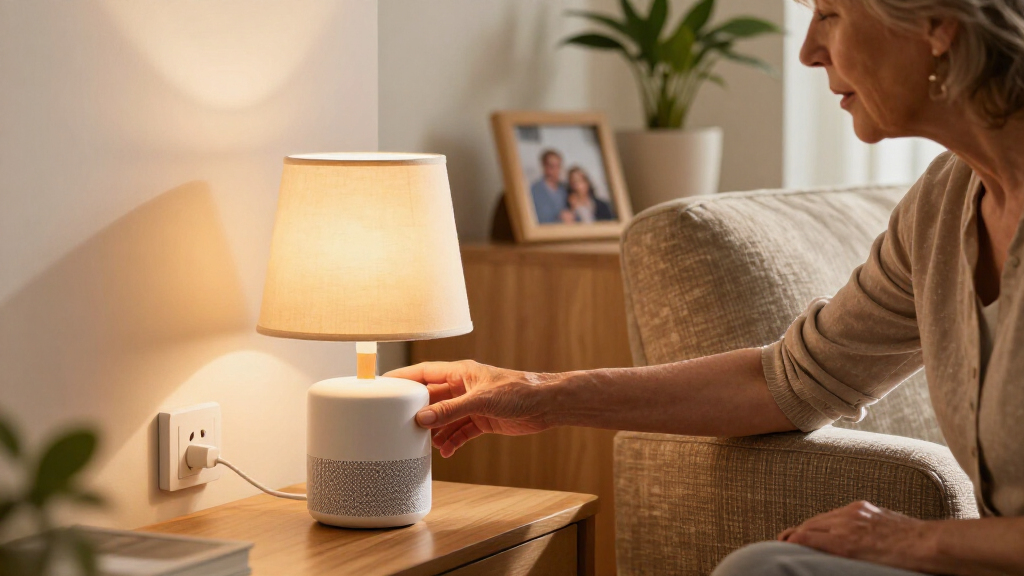
For simple voice control, I’d start with the Amazon Smart Plug if your home runs on Alexa: its direct fit with that assistant keeps setup straightforward. The Kasa Smart Plug HS103P2 is a stronger all-around alternative for shoppers who want a familiar app and Alexa or Google Assistant support, while the Linkind Matter Smart Plug suits homes that mix platforms. The main tradeoffs are how many assistants you can use, whether setup needs a 2.4 GHz Wi-Fi network or a hub, and how much space the plug takes up. Some picks add timers or energy monitoring, but those features can mean more app setup. Read on for the full comparison and a pick matched to your setup.

Get comfort and care essentials delivered free — and shop member deals
- Fast, free delivery on millions of items
- Access to Prime Big Deal Days deals on October 6–7
- Prime Video, Amazon Music and more included
Complete the kit


Key Takeaways
- Assistant choice shapes the ranking: Amazon’s plug is the clearest Alexa-first option, while Kasa and several other Wi-Fi models support both Alexa and Google Assistant.
- Matter offers a different kind of flexibility: Linkind and GE Cync are the platform-minded picks for homes that may use more than one smart-home ecosystem.
- Multipacks suit repeated, simple tasks: Govee, Wyze, Tapo, and several other four-packs can cover multiple lamps or small appliances, but check network and outlet fit before buying several.
- Simple voice control can mean different setups: Emerson’s voice-operated wall outlet avoids Wi-Fi and an app, while most other picks rely on a connected app and compatible voice assistant.
- Extra features add setup choices: The energy-monitoring plug offers usage tracking, but buyers who only want spoken on/off commands may be better served by a simpler model.
| Kasa Smart Plug HS103P2, Wi-Fi Outlet, 2-Pack |  | Best Overall | Voice Assistants: Alexa, Google Assistant | Amperage: 15A | Voltage: 120V AC | VIEW LATEST PRICE | See Our Full Breakdown |
| Govee Smart Plug, WiFi Outlet, 4 pcs |  | Best Value Multi-Pack | Voice Assistants: Alexa, Google Assistant | Amperage: 10A | Max Load: 1200W at 120V | VIEW LATEST PRICE | See Our Full Breakdown |
| Wyze Smart Plug (4-Pack) |  | Best for Automation Tinkerers | Voice Assistants: Alexa, Google Assistant, IFTTT | Wattage: 1650W | Operating Voltage: 110 VAC | VIEW LATEST PRICE | See Our Full Breakdown |
| GHome Smart Plug Mini, WiFi Smart Outlet (4 Pack) | 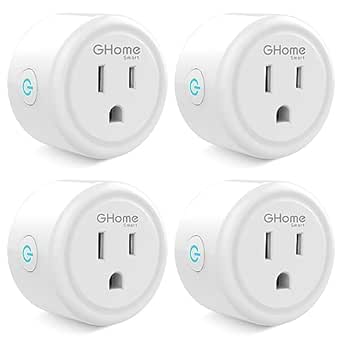 | Best Compact Pick | Voice Assistants: Alexa, Google Home | Amperage: 10A | Max Load: 1200W at 120V | VIEW LATEST PRICE | See Our Full Breakdown |
| GHome Smart Plug, WiFi Smart Plugs that Work with Alexa and Google Home |  | Best App Flexibility | Voice Assistants: Alexa, Google Assistant | Amperage: 10A | Max Load: 1200W at 120V | VIEW LATEST PRICE | See Our Full Breakdown |
| Emerson SmartVoice 2-in-1 Dual Smart Wall Plug Outlet |  | Best for Offline Voice Control | Outlet layout: Two outlets: one programmable timer outlet and one always-on outlet | Connectivity: No Wi-Fi required | App or account: No app, pairing, or account required | VIEW LATEST PRICE | See Our Full Breakdown |
| Kasa Smart Plug Ultra Mini 15A, EP10 |  | Best for App-Based Routines | Model: EP10 | Maximum current: 15 A | Connectivity: 2.4 GHz Wi-Fi | VIEW LATEST PRICE | See Our Full Breakdown |
| Smart Plug 2-Pack, 2.4G Wi-Fi Outlet |  | Best Two-Pack Value | Pack size: Two plugs | Connectivity: 2.4 GHz Wi-Fi | Voice assistants: Amazon Alexa and Google Home/Assistant | VIEW LATEST PRICE | See Our Full Breakdown |
| GE Cync Smart Plug (3 Pack), Matter Compatible |  | Best for Multi-Platform Homes | Brand: GE Cync | Pack size: Three plugs | Connectivity: Wi-Fi | VIEW LATEST PRICE | See Our Full Breakdown |
| Sylvania WiFi Smart Plug, 4 Pack (75703) |  | Best for Siri Shortcuts | Model: 75703 | Pack size: Four plugs | Color: White | VIEW LATEST PRICE | See Our Full Breakdown |
| Linkind Matter Smart Plug |  | Best for Cross-Platform Homes | Protocol: Matter over Wi-Fi | Voice and platform support: Apple Home, Siri, Alexa, Google Assistant, SmartThings | Network requirement: 2.4GHz Wi-Fi and IPv6 | VIEW LATEST PRICE | See Our Full Breakdown |
| SimpleHut Smart Plug 10A 2-Pack | 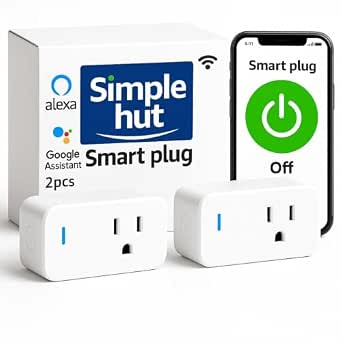 | Best for Basic Two-Room Voice Control | Pack size: 2 plugs | Maximum current: 10A | Listed wattage: 240W | VIEW LATEST PRICE | See Our Full Breakdown |
| Tapo Smart Plug Mini 15A (4-Pack), P105 |  | Best Multi-Room Pack | Model: P105 | Pack size: 4 plugs | Maximum current: 15A | VIEW LATEST PRICE | See Our Full Breakdown |
| EIGHTREE 15A Smart Plug, 4 Pack | 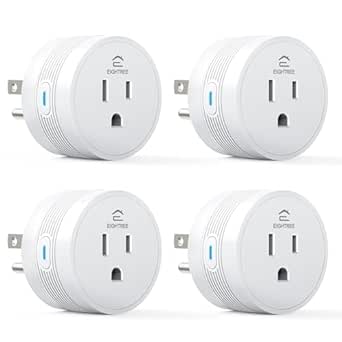 | Best for Tight Outlets | Pack size: 4 plugs | Maximum current: 15A | Listed wattage: 1800W in description; 1100W in specifications | VIEW LATEST PRICE | See Our Full Breakdown |
| Amazon Smart Plug |  | Best for Alexa Beginners | Maximum input and output: 15A | Network: 2.4GHz Wi-Fi, 802.11 b/g/n | Voice assistant: Alexa only | VIEW LATEST PRICE | See Our Full Breakdown |
| smart plugs with simple voice control | Connectivity | Voice Assistants |
|---|---|---|
| Kasa Smart Plug HS103P2 | 2.4GHz Wi-Fi, no hub required | Alexa, Google Assistant |
| Govee Smart Plug | 2.4GHz Wi-Fi and Bluetooth, no hub required | Alexa, Google Assistant |
| Wyze Smart Plug | 2.4GHz Wi-Fi, no hub required | Alexa, Google Assistant, IFTTT |
| GHome Smart Plug Mini | 2.4GHz Wi-Fi and Bluetooth, no hub required | Alexa, Google Home |
| GHome Smart Plug | 2.4GHz Wi-Fi and Bluetooth | Alexa, Google Assistant |
| Emerson SmartVoice 2-in-1 Dual | No Wi-Fi required | — |
| Kasa Smart Plug Ultra Mini 15A | 2.4 GHz Wi-Fi | Amazon Alexa and Google Assistant |
| Smart Plug 2-Pack | 2.4 GHz Wi-Fi | Amazon Alexa and Google Home/Assistant |
| GE Cync Smart Plug | Wi-Fi | Amazon Alexa, Google Assistant, Samsung SmartThings, Apple Home |
| Sylvania WiFi Smart Plug | Wi-Fi | — |
| Linkind Matter Smart Plug | — | — |
| SimpleHut Smart Plug 10A 2-Pac | 2.4GHz Wi-Fi | Alexa and Google Assistant |
| Tapo Smart Plug Mini 15A | Wi-Fi | Amazon Alexa and Google Assistant |
| EIGHTREE 15A Smart Plug | 2.4GHz Wi-Fi | — |
| Amazon Smart Plug | — | — |
More Details on Our Top Picks
Kasa Smart Plug HS103P2, Wi-Fi Outlet, 2-Pack
When the whole point of a roundup is simple voice control, the Kasa HS103 delivers the most frictionless experience here. Pairing with Alexa and Google Assistant happens directly through the well-polished Kasa app, with none of the workaround steps the GHome plugs demand — where you must register the plug in a separate app before voice assistants can even see it. Kasa’s 15A rating also outmuscles the 10A Govee and GHome options, meaning it can safely run a space heater or microwave-adjacent load that would trip cheaper plugs. The tradeoff is the two-pack format: covering a whole room costs more per outlet than the four-pack Govee or Wyze bundles, and the body is chunkier than the mini-sized GHome units, so it can block an adjacent socket.
Pros:- 15A/1800W handling covers heaters and larger appliances that 10A plugs can’t
- Direct, dependable Alexa and Google Assistant linking through the mature Kasa app
- UL certified with a physical power button on the plug itself
- Guided step-by-step setup that beginners can follow without guesswork
Cons:- Only two plugs per pack, so whole-home coverage adds up quickly
- Wider housing can obstruct a second outlet in a standard wall plate
- No IFTTT or broader automation-platform support unlike the Wyze plug
Best for: Buyers who want the most reliable, direct Alexa/Google integration and enough amperage for higher-draw appliances like heaters or fans
Not ideal for: Anyone kitting out many outlets on a budget — two plugs cost more per outlet than the four-pack alternatives, and smart-home tinkerers will miss IFTTT support, which Wyze offers
- Voice Assistants:Alexa, Google Assistant
- Amperage:15A
- Voltage:120V AC
- Connectivity:2.4GHz Wi-Fi, no hub required
- Certification:UL certified
- Quantity:2-pack
- Scheduling:Timer and countdown schedules via Kasa app
Our verdict“If you want one plug that just works with voice commands the first time and can handle real appliances, this is the pick to start with.”
Govee Smart Plug, WiFi Outlet, 4 pcs
The Govee four-pack earns its spot on pure coverage-per-dollar logic: you get four voice-controllable outlets for roughly what two Kasa plugs cost. The Bluetooth plus Wi-Fi pairing is a genuine convenience compared to Wi-Fi-only plugs, because the initial connection to the Govee app is faster and less prone to the setup failures that plague budget smart plugs. Once linked, Alexa and Google commands respond reliably, and group control lets one voice command switch a whole set of lamps at once. The catch is capacity — at 10A/1200W, it trails the Kasa HS103 and Wyze plugs, so it’s strictly a lamps-and-fans product, not a heater product. The schedule options are also more basic than Kasa’s.
Pros:- Four plugs in one box makes whole-room voice automation affordable
- Bluetooth-assisted pairing speeds up an otherwise tedious Wi-Fi setup
- Group control switches multiple plugs with a single command or tap
- ETL and FCC certified with a compact housing that fits tight spaces
Cons:- 10A/1200W ceiling rules out space heaters and most high-draw appliances
- Scheduling features are more limited than Kasa’s timer and countdown system
- 2.4GHz-only support means users on 5GHz-only networks need a router change
Best for: Households automating several lamps, fans, or holiday lights at once without spending much per outlet
Not ideal for: Anyone running high-wattage gear like space heaters or kettles — the 10A limit rules those out, and the Govee app is less refined than Kasa’s for complex routines
- Voice Assistants:Alexa, Google Assistant
- Amperage:10A
- Max Load:1200W at 120V
- Connectivity:2.4GHz Wi-Fi and Bluetooth, no hub required
- Certification:ETL, FCC
- Quantity:4-pack
- App:Govee Home
Our verdict“The smart buy when you need lots of voice-controlled outlets for lighting and small electronics rather than one heavy-duty plug.”
Wyze Smart Plug (4-Pack)
The Wyze Smart Plug is the only plug in this batch with IFTTT support, which changes what voice control can mean — instead of just on/off commands, you can chain plugs into location triggers, weather events, or custom applets that the Govee and GHome plugs can’t touch. Its 1650W rating also sits well above the 10A budget plugs and closes most of the gap to the Kasa HS103, so it handles fans and small heaters with headroom. Room grouping in the Wyze app is a standout for anyone building out an ecosystem, since one voice command can kill every light in a room. The drawbacks: the 2.4GHz-only limitation is strict, and living inside the Wyze app ecosystem makes less sense if you don’t own other Wyze devices.
Pros:- IFTTT compatibility enables automation beyond basic voice on/off control
- 1650W capacity comfortably exceeds the 10A budget plugs’ limits
- Room grouping turns multiple plugs into a single voice command
- Works with Alexa, Google Assistant, and the clean Wyze app with no hub
Cons:- 2.4GHz-only Wi-Fi with no Bluetooth fallback for easier pairing
- Ecosystem appeal fades if you own no other Wyze products
- Four-pack format wastes money for buyers who need just one or two outlets
Best for: Smart-home hobbyists who want IFTTT routines and room-based grouping around voice commands, especially alongside other Wyze gear
Not ideal for: Buyers who just want one or two simple plugs — the four-pack and the Wyze app ecosystem are overkill, and the Kasa two-pack is the simpler entry point
- Voice Assistants:Alexa, Google Assistant, IFTTT
- Wattage:1650W
- Operating Voltage:110 VAC
- Connectivity:2.4GHz Wi-Fi, no hub required
- Switch Type:TRIAC
- Quantity:4-pack
- Grouping:Room-based group control via Wyze app
Our verdict“The pick for people who see voice control as a starting point for automations, not the finish line.”
GHome Smart Plug Mini, WiFi Smart Outlet (4 Pack)
Physical size matters more than buyers expect, and the GHome Smart Plug Mini is the low-profile option in this lineup — its housing sits flush enough that two can share a standard duplex outlet, something the wider Kasa HS103 can’t always manage. Setup follows the same Bluetooth-assisted pattern as the Govee four-pack, and voice commands through Alexa and Google Home work the same way once you register each plug in the GHome app first. Compared with the Govee, you trade a little polish in scheduling for an even smaller footprint and random-mode timers, which are handy for making lamps look like someone is home. The shared weaknesses are real: 10A/1200W limits and the extra app step before voice control works can confuse first-timers.
Pros:- Miniature housing fits two plugs in one duplex outlet without blocking
- Bluetooth-assisted setup is quicker than Wi-Fi-only pairing
- Random-mode scheduling works well for vacation presence simulation
- ETL and FCC certified with group control across all four plugs
Cons:- 10A/1200W ceiling rules out heaters and high-draw appliances
- Cannot link directly to Alexa or Google — GHome app registration comes first
- 2.4GHz-only support trips up modern mesh-network users
Best for: Renters and anyone with crowded outlets or power strips who needs low-profile plugs for lamps and small devices in several rooms
Not ideal for: Buyers who want to plug in a plug and start talking to Alexa immediately — the mandatory GHome app registration step adds friction the Kasa doesn’t have
- Voice Assistants:Alexa, Google Home
- Amperage:10A
- Max Load:1200W at 120V
- Connectivity:2.4GHz Wi-Fi and Bluetooth, no hub required
- Certification:ETL, FCC
- Quantity:4-pack
- Body Material:Polycarbonate
- App:GHome
Our verdict“The best choice when outlet real estate is tight and you’d rather have four discreet plugs than two bulky ones.”
GHome Smart Plug, WiFi Smart Plugs that Work with Alexa and Google Home
What separates this GHome Smart Plug from its Mini sibling and the Govee is app compatibility: it works with GHome, Smart Life, and Tuya, which means it slots into an existing Smart Life setup instead of forcing a new app onto your phone. For anyone already running Smart Life plugs or bulbs, that alone justifies choosing it over the Govee four-pack, whose closed Govee Home app can’t merge with anything else. Voice control itself behaves identically — Alexa and Google commands after app registration — and family sharing lets everyone in the household control the same plugs. Its 10A rating and SmartThings compatibility claim come with the same caveats as the other budget plugs here: no high-wattage appliances, and a 2.4GHz-only connection requirement.
Pros:- Compatible with GHome, Smart Life, and Tuya apps, avoiding ecosystem lock-in
- Bluetooth-assisted pairing keeps setup quick and stable
- Family sharing gives multiple households control without account juggling
- Group control and recurring or random schedules included
Cons:- 10A/1200W ceiling rules out space heaters and power-hungry devices
- Requires app registration before Alexa or Google will connect
- 2.4GHz-only Wi-Fi with no path to Matter or Apple Home
Best for: Buyers already invested in the Smart Life or Tuya app ecosystem who want new plugs to join an existing setup rather than fragment across apps
Not ideal for: Apple Home users and anyone wanting Matter support — plugs like the Linkind Matter in this roundup cover that — plus the 10A limit excludes heavy appliances
- Voice Assistants:Alexa, Google Assistant
- Amperage:10A
- Max Load:1200W at 120V
- Connectivity:2.4GHz Wi-Fi and Bluetooth
- Certification:ETL, FCC
- Compatible Apps:GHome, Smart Life, Tuya
- Hub Required:No
- Sharing:In-app family sharing supported
Our verdict“The right pick if your smart home already lives inside Smart Life or Tuya and you want plugs that join the party seamlessly.”
Emerson SmartVoice 2-in-1 Dual Smart Wall Plug Outlet
The Emerson SmartVoice is the clearest fit for someone who wants spoken control without setting up Wi-Fi, an app, or an account. Its commands are processed locally, and the two-outlet layout pairs one voice-controlled timer outlet with one always-on outlet. That makes it more self-contained than the Kasa EP10, which adds app scheduling and remote control but needs a 2.4 GHz network. Emerson trades those connected features for simpler setup and greater privacy: it does not offer the Kasa’s phone-based control from away from home. Grouping up to five plugs with custom wake words may suit several rooms, though buyers should check that the voice and timer behavior fits their devices. Its stated dimensions may also limit access to a neighboring wall socket.
Pros:- Works without Wi-Fi, app setup, pairing, or an account
- Processes voice commands locally, with no cloud or data collection stated
- Combines a programmable voice-controlled outlet with an always-on outlet
- Supports grouping up to five programmable timer plugs
Cons:- Lacks app control and remote operation away from home
- Offers fewer connected-home features than the Kasa EP10
- The 5.21-inch depth may make nearby outlet access awkward
Best for: People who want hands-free control of a lamp or fan without Wi-Fi, a smartphone app, or a smart-home account
Not ideal for: Buyers who need remote control while away, app-based routines, or broad smart-home integration
- Outlet layout:Two outlets: one programmable timer outlet and one always-on outlet
- Connectivity:No Wi-Fi required
- App or account:No app, pairing, or account required
- Voice control:Hands-free voice commands; custom wake words
- Group control:Up to five programmable timer plugs
- Timer:Sleep and wake timer functions
- Plug type:Type A or B
- Safety listing:ETL listed
- Dimensions:5.21 × 2.17 × 1.59 in (D × W × H)
Our verdict“Choose the Emerson if you want direct offline voice control and a second always-on socket; skip it if app access and remote routines matter.”
Kasa Smart Plug Ultra Mini 15A, EP10
The Kasa EP10 makes sense for buyers who want voice commands plus an easy path to schedules and remote control through a phone. It works with Alexa and Google Assistant, while the Kasa app guides setup and handles timers, countdowns, and control from away from home. That connected convenience sets it apart from the Emerson SmartVoice, which works offline but has no app or away-from-home control. Kasa does require a 2.4 GHz Wi-Fi connection, so setup depends on a compatible network and app access. Its single-plug design also lacks the second always-on socket built into the Emerson. For someone automating a lamp or fan within an existing Wi-Fi home, the Kasa offers a more familiar mix of voice and phone controls.
Pros:- Works with Alexa and Google Assistant
- App-supported timers and countdown schedules
- Remote on/off control from outside the home
- UL certified and covered by a two-year warranty
Cons:- Requires 2.4 GHz Wi-Fi and the Kasa app for setup
- Does not work offline like the Emerson SmartVoice
- Single outlet provides no separate always-on socket
Best for: Alexa or Google Assistant households that want voice control, scheduled appliance use, and remote phone access
Not ideal for: Buyers without 2.4 GHz Wi-Fi or anyone who wants voice operation without an app or network setup
- Model:EP10
- Maximum current:15 A
- Connectivity:2.4 GHz Wi-Fi
- Voice assistants:Amazon Alexa and Google Assistant
- App:Kasa app
- Scheduling:Timer and countdown schedules
- Remote control:Smartphone control from anywhere
- Safety certification:UL certified
- Warranty:Two years
Our verdict“Pick the Kasa EP10 if you want voice control backed by schedules and remote app access on a 2.4 GHz network.”
Smart Plug 2-Pack, 2.4G Wi-Fi Outlet
This pair suits buyers who want to add voice control to two devices at once without buying a hub. The plugs work with Alexa and Google Home, and the app adds remote operation, schedules, auto-off timers, and group control. Compared with the Kasa EP10, this pick provides two plugs in the set and explicitly supports controlling multiple plugs together, while the Kasa listing highlights remote access and countdown schedules. The tradeoff is network flexibility: these plugs connect to 2.4 GHz Wi-Fi only, so they are a poor match for setups that rely on a 5 GHz network without a compatible 2.4 GHz band. The listing also gives less detail about app setup and safety certification than Kasa, so buyers who prioritize those specifics may prefer the better-documented option.
Pros:- Two plugs included for controlling separate devices
- Works with Alexa and Google Home
- Supports app-based remote control, scheduling, and auto-off timers
- Group control can manage multiple plugs together without a hub
Cons:- Only connects to 2.4 GHz Wi-Fi
- Requires Wi-Fi and app-based setup unlike the offline Emerson SmartVoice
- The supplied details do not specify a safety certification or warranty
Best for: Alexa or Google Home users who want to automate two lamps or small appliances with shared schedules
Not ideal for: Households without 2.4 GHz Wi-Fi or buyers seeking a stated safety certification and warranty
- Pack size:Two plugs
- Connectivity:2.4 GHz Wi-Fi
- Voice assistants:Amazon Alexa and Google Home/Assistant
- Hub required:No
- Remote control:App-based
- Scheduling:Scheduling and auto-off timers
- Group control:Supported
- Connector material:Pure copper
Our verdict“Choose this two-pack for shared voice and scheduling control of two devices, provided your home has 2.4 GHz Wi-Fi.”
GE Cync Smart Plug (3 Pack), Matter Compatible
For a home that mixes voice assistants or already uses Matter-compatible equipment, the GE Cync three-pack offers broad reach: it supports Alexa, Google Assistant, Samsung SmartThings, and Apple Home. Its Matter compatibility makes it a more flexible ecosystem fit than the Alexa and Google-focused Kasa EP10, while the slim profile is intended to leave the neighboring wall outlet available. The Cync app adds scenes, schedules, and out-of-home control, giving it more connected-home options than the offline Emerson SmartVoice. That breadth comes with more setup: full features require Wi-Fi and the Cync app, so this is not the straightforward choice for someone avoiding accounts and apps. The slim body may still occupy the full outlet in some configurations, which can undercut the benefit of its compact design.
Pros:- Matter-compatible with Apple Home, Alexa, Google Assistant, and SmartThings
- Three plugs included for covering several devices
- App supports scenes, schedules, and out-of-home control
- Slim design is intended to leave the second wall outlet free
Cons:- Wi-Fi and the Cync app are required for full setup and features
- Slim design may still block the neighboring outlet in some arrangements
- More app and ecosystem setup than the offline Emerson SmartVoice
Best for: Households with Apple Home, SmartThings, Alexa, or Google devices that want three plugs in one Matter-capable system
Not ideal for: Buyers who want offline voice control, minimal setup, or guaranteed access to both sockets in every outlet arrangement
- Brand:GE Cync
- Pack size:Three plugs
- Connectivity:Wi-Fi
- Protocol:Matter
- Voice assistants:Amazon Alexa, Google Assistant, Samsung SmartThings, Apple Home
- Control:App, voice, and remote
- Automation:Scheduling and scenes
- Design:Slim profile
Our verdict“Choose the GE Cync pack if your household spans several smart-home platforms and you want Matter support across three plugs.”
Sylvania WiFi Smart Plug, 4 Pack (75703)
The Sylvania four-pack is a practical fit for households that want voice and phone control for several devices, with no hub to add. Its assistant list includes Alexa and Google Assistant, plus Siri Shortcuts, a useful route for iPhone owners who want to trigger routines by voice. That gives it a distinct angle from the GE Cync three-pack, which offers Apple Home through Matter and adds scenes and broader ecosystem support. Sylvania is the simpler proposition on the supplied details: Wi-Fi, app control, timers, and a two-year warranty. The tradeoff is that Siri Shortcuts support does not mean Apple HomeKit compatibility, and the listing does not specify a Wi-Fi band. Buyers who need Matter or native HomeKit integration should look at GE Cync instead.
Pros:- Four plugs in the pack for controlling several devices
- Works with Alexa, Google Assistant, and Siri Shortcuts
- Supports app-based schedules, timers, and remote on/off control
- No hub required and includes a two-year warranty
Cons:- Not compatible with Apple HomeKit
- Requires Wi-Fi and smartphone app control
- The supplied specifications do not identify the supported Wi-Fi band
Best for: iPhone households seeking voice shortcuts and app control across several lamps or appliances without a hub
Not ideal for: Apple HomeKit users or buyers who need stated Matter support or detailed network compatibility
- Model:75703
- Pack size:Four plugs
- Color:White
- Connectivity:Wi-Fi
- Voice control:Amazon Alexa, Google Assistant, Siri Shortcuts
- Hub required:No
- Features:Scheduling, timers, remote on/off control
- Warranty:Two years
Our verdict“Pick Sylvania if you want four hub-free plugs and Siri Shortcuts, but choose GE Cync for Matter and Apple Home support.”
Linkind Matter Smart Plug
Matter support gives this Linkind plug the broadest voice-control reach in this group: it can work with Apple Home, Alexa, Google Home, and SmartThings, provided you have a compatible Matter controller for those platforms. That flexibility makes it a stronger fit for households mixing ecosystems than the Amazon Smart Plug, which is limited to Alexa. Once set up, local Matter control can continue over your home network during an internet outage, while schedules and timers handle routine switching. The tradeoff is setup complexity: buyers need a compatible controller for the major platforms, and the plug requires 2.4GHz Wi-Fi and IPv6. It is also a single plug, so the Tapo P105 four-pack suits buyers outfitting several rooms better.
Pros:- Matter compatibility spans Apple Home, Alexa, Google Home, and SmartThings
- Local network control can work without an internet connection after setup
- 15A, 1800W capacity
- Compact design and scheduling and timer controls
Cons:- Major smart home platforms require a compatible Matter controller
- Requires both 2.4GHz Wi-Fi and IPv6
- Sold as a single plug, unlike the Tapo P105 four-pack
Best for: Households with a Matter controller that use Apple Home, Alexa, Google Home, or SmartThings and want one plug to fit a mixed ecosystem.
Not ideal for: Buyers without a Matter controller who want quick Alexa-only setup, or anyone whose network does not support 2.4GHz Wi-Fi and IPv6.
- Protocol:Matter over Wi-Fi
- Voice and platform support:Apple Home, Siri, Alexa, Google Assistant, SmartThings
- Network requirement:2.4GHz Wi-Fi and IPv6
- Maximum current:15A
- Maximum power:1800W
- Control options:Remote app control, schedules, and timers
- Safety:FCC certified; fire-resistant materials; short-circuit and overload protection
Our verdict“Choose Linkind if you want voice control across different smart home ecosystems and already have a compatible Matter controller.”
SimpleHut Smart Plug 10A 2-Pack
The SimpleHut two-pack keeps voice control straightforward: connect it over 2.4GHz Wi-Fi, then switch compatible devices through Alexa or Google Assistant without adding a hub. Two plugs make it useful for a pair of lamps or other modest household loads, while the listed Smart Life app support adds app control and scheduling. Compared with the Amazon Smart Plug, it works with Google Assistant as well as Alexa and includes a second plug, but its 10A rating is lower than Amazon’s 15A maximum. The product details mention energy monitoring, yet provide no readings or measurement range, so I would not choose it primarily to track consumption. The sparse setup and safety details also leave more unanswered than the Tapo P105 listing.
Pros:- Works with Alexa and Google Assistant
- Two plugs included
- No hub required
- Smart Life app support with scheduling and remote control listed
Cons:- 10A rating is lower than the 15A Amazon Smart Plug and Tapo P105
- Requires 2.4GHz Wi-Fi
- Energy-monitoring details and safety certifications are not specified
Best for: Alexa or Google Assistant users who want two app-controlled plugs for lamps and other devices within the listed 10A capacity.
Not ideal for: Buyers controlling higher-current appliances, seeking Matter or Apple Home support, or relying on clearly documented energy monitoring.
- Pack size:2 plugs
- Maximum current:10A
- Listed wattage:240W
- Operating voltage:240V
- Connectivity:2.4GHz Wi-Fi
- Voice assistants:Alexa and Google Assistant
- App:Smart Life (Tuya powered)
- Controls listed:On/off, scheduling, remote app control, energy monitoring
Our verdict“Pick this two-pack for basic Alexa or Google voice control of modest loads when you do not need a higher current rating.”
Tapo Smart Plug Mini 15A (4-Pack), P105
For buyers adding voice control around several rooms, the four-plug pack is the Tapo P105’s clearest advantage. Bluetooth-assisted setup can simplify onboarding, and Alexa or Google Assistant voice commands cover the basics alongside schedules and timers. Its 15A capacity matches the Amazon Smart Plug’s listed maximum, while the compact shape is designed to leave the neighboring socket accessible. That makes Tapo more practical for outfitting a home than the single Linkind Matter plug, especially when broad ecosystem support is not needed. The tradeoff is platform reach: the supplied details list Alexa and Google Assistant, but not Apple Home or Matter. Buyers who need cross-platform control should look at Linkind instead; those wanting simple voice switching across multiple rooms get more from this set.
Pros:- Four plugs in the pack
- Bluetooth-assisted setup
- 15A maximum current
- Compact design intended to leave adjacent sockets available
Cons:- Apple Home and Matter support are not listed
- Voice assistant support is limited to Alexa and Google Assistant
- Requires Wi-Fi for smart control
Best for: Alexa or Google Assistant households equipping several rooms with compact plugs and straightforward schedules.
Not ideal for: Apple Home users or buyers who need Matter support, local offline control, or integrations beyond the listed assistants.
- Model:P105
- Pack size:4 plugs
- Maximum current:15A
- Connectivity:Wi-Fi
- Setup:Bluetooth-assisted onboarding
- Voice assistants:Amazon Alexa and Google Assistant
- Material and certification:UL94-V0 flame-retardant material; UL certified
- Warranty:2 years
Our verdict“Choose the Tapo P105 four-pack to add simple Alexa or Google voice control across several rooms.”
EIGHTREE 15A Smart Plug, 4 Pack
EIGHTREE’s four-pack combines broad everyday voice control with a 1.2-inch-thin profile, a useful pairing when plugs sit behind furniture or in crowded outlet strips. It supports Alexa, Google Home, and SmartThings through the Smart Life app, with group control, schedules, and timers for routine switching. That gives it a wider listed assistant range than the Amazon Smart Plug, though Linkind’s Matter support reaches Apple Home as well and can enable local control after setup. EIGHTREE instead emphasizes a compact physical fit and a four-plug bundle. Its 15A rating suits the listed electrical capacity, but the product data contains conflicting wattage figures—1800W in the description and 1100W in the specs—so I would check the rating on the device before choosing it for a high-load appliance. It also requires 2.4GHz Wi-Fi.
Pros:- Four plugs with a slim 1.2-inch profile
- Works with Alexa, Google Assistant, and SmartThings
- Group control, schedules, and timers
- FCC and ETL certifications listed
Cons:- Requires 2.4GHz Wi-Fi
- Wattage data conflicts between 1800W and 1100W
- Apple Home and Matter support are not listed
Best for: Smart Life users who want several slim plugs for tight spaces and voice control through Alexa, Google Home, or SmartThings.
Not ideal for: Apple Home users, households with only 5GHz Wi-Fi, or buyers needing an unambiguous wattage rating for a high-load device.
- Pack size:4 plugs
- Maximum current:15A
- Listed wattage:1800W in description; 1100W in specifications
- Operating voltage:120V
- Connectivity:2.4GHz Wi-Fi
- Voice and platform support:Alexa, Google Assistant, SmartThings
- App:Smart Life
- Thickness and certifications:1.2 inches; FCC and ETL
Our verdict“Choose EIGHTREE when a slim four-pack and Smart Life voice control fit your setup, after confirming the device’s wattage rating for your intended load.”
Amazon Smart Plug
If Alexa is already the voice assistant in your home, Amazon’s plug keeps setup and daily commands direct: use the Alexa app, then control compatible lamps, fans, or coffee makers through routines and schedules. It needs no hub, and its compact body is designed to leave the second outlet free. Compared with the Tapo P105, Amazon offers a more Alexa-centered setup and automatic reconnection to Alexa after power or Wi-Fi outages, but Tapo adds Google Assistant support and comes in a four-pack. Amazon is the clearest choice for an Alexa-only household that values simple setup; it is a poor fit for mixed ecosystems because it supports no other voice assistants or smart hubs. It also requires 2.4GHz Wi-Fi and works indoors only.
Pros:- Simple Alexa app setup with no hub
- Supports Alexa routines and schedules
- Designed to keep the second outlet available
- Automatically reconnects to Alexa after power or Wi-Fi outages
Cons:- Works only with Alexa and does not support other voice assistants or smart hubs
- Requires 2.4GHz Wi-Fi
- Indoor use only
Best for: Alexa users who want a single plug for a lamp, fan, or compatible appliance and prefer setup through the Alexa app.
Not ideal for: Google Assistant or Apple Home households, buyers seeking multi-assistant support, or anyone who needs outdoor use.
- Maximum input and output:15A
- Network:2.4GHz Wi-Fi, 802.11 b/g/n
- Voice assistant:Alexa only
- Setup:Alexa app Wi-Fi simple setup; no hub required
- Dimensions:3.2 × 1.5 × 2.2 inches
- Weight:3.1 oz
- Use:Indoor
- Warranty:1-year limited warranty
Our verdict“Choose Amazon’s plug for simple voice control if Alexa is your household’s only smart home platform.”
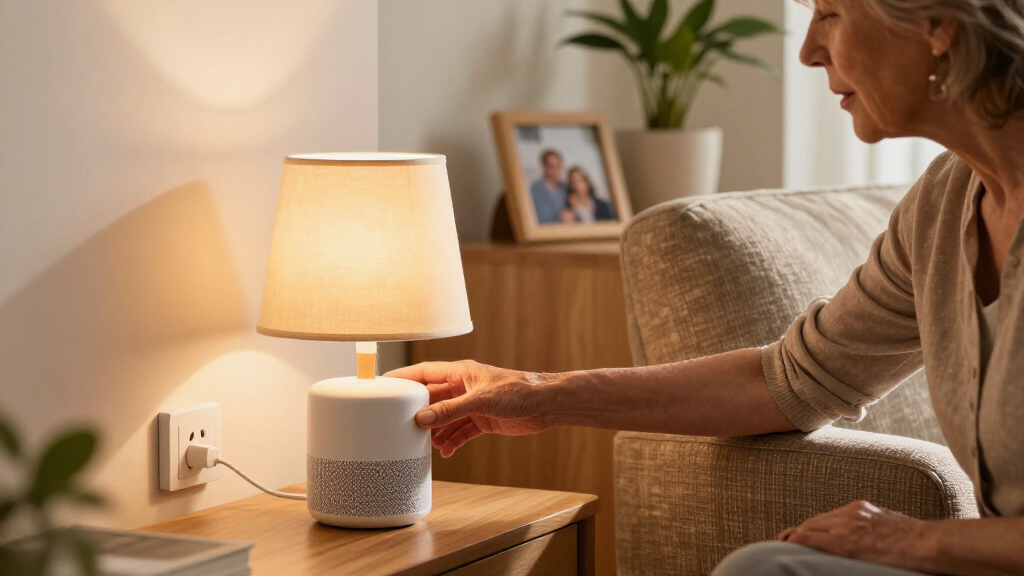
How We Picked
I ranked these plugs by how directly they answer the request for simple voice control: assistant compatibility, setup demands, and how clearly a buyer can tell what works with their existing home. I also weighed practical fit, including compactness, outlet design, pack size, and whether the plug calls for 2.4 GHz Wi-Fi, a hub, or a specific ecosystem. Timers, scheduling, and energy monitoring count as useful additions only when they serve a clear buyer need.
The order favors a straightforward fit for common voice-control setups, then distinguishes picks for broader platform support, multi-plug value, special features, and more specific use cases. A product with a larger pack or extra controls does not automatically rank above one that is easier to match to a voice assistant. I also account for tradeoffs: platform limits, app dependence, setup requirements, and less conventional controls all affect who should choose each option.
Factors to Consider When Choosing Smart Plugs With Simple Voice Control
Before choosing a plug, I’d match it to the voice assistant and home network you already use. The following checks can prevent a common mismatch: buying a capable device that still needs a different app, network band, or control method than you want.
Match the Plug to Your Voice Assistant
Start with the assistant you actually plan to speak to, then verify the product’s stated compatibility for that assistant. “Voice control” can refer to different paths: commands through Alexa or Google Assistant, Apple Home support, or a device-specific voice system. A plug that works with two assistants may be a better fit for a changing household than one tied closely to a single platform. Matter support can help when you want a device to join compatible smart-home systems, but it does not remove the need for a compatible controller and setup. I’d avoid buying on the strength of a voice-control label alone; check the exact ecosystem and setup steps first.
Check Wi-Fi, Hub, and App Requirements
Many Wi-Fi plugs in this roundup specify a 2.4 GHz network, so check your router settings before ordering a multipack. Some routers combine network bands under one name, which can complicate initial setup even when the plug is compatible. “No hub required” still usually means the plug needs Wi-Fi, an app, and an account or assistant connection. A hub-based or Matter setup may suit a larger smart home, but it can add another device or configuration step. If your priority is voice commands without Wi-Fi or an app, the Emerson wall outlet represents a distinct approach; check that its local control method fits your needs.
Measure the Outlet and Nearby Plugs
A smart plug can block an adjacent socket even when its body is described as compact. Look at the plug’s dimensions and the layout of the outlet, especially behind furniture or near large adapters. A dual-outlet wall extender may solve a different problem from a small single plug, but it also changes how much space the setup occupies. Buying a multipack before checking one plug’s physical fit can leave several devices unused. I’d test the intended location and nearby outlet access as part of choosing the right form factor.
Choose Extras for a Real Routine
Timers and schedules are useful when a lamp should turn on at a regular time or an appliance should follow a repeatable routine. Energy monitoring may help you spot usage patterns, but it adds an app feature to learn and is not necessary for basic on/off commands. Decide whether you need control while away, recurring schedules, or just spoken commands at home; each can affect setup and app use. Check whether the routines you want live in the plug’s own app or in your voice assistant. Paying attention to that distinction can prevent duplicated schedules and confusing controls.
Think Through Shared Access and Reliability
In a shared home, the best choice may be the one other household members can control with the assistant and app they already know. Consider what happens if internet access drops: cloud-connected voice commands may stop working, even if a local button remains available. If a plug will control a lamp someone relies on daily, a simple manual override and a clear recovery path after a router change matter. Confirm who can add or manage devices before building a large setup. Keeping the same platform across several plugs can make household routines easier to maintain.
Buy the Right Pack Size
Multipacks make sense when you already know which outlets need voice control, such as a group of lamps in different rooms. For a first smart plug, a smaller pack can help you confirm assistant compatibility, Wi-Fi setup, and physical fit before expanding. Compare the intended jobs rather than counting sockets: a timer-controlled lamp and an appliance that needs energy tracking may call for different features. Also check each product’s stated electrical limits and use only devices suited to the load you plan to control. A larger pack is only useful when its plugs match both your routine and your available outlets.
Frequently Asked Questions
Which plug makes the most sense if I use Alexa and want the least complicated setup?
I’d begin with the Amazon Smart Plug because it is designed to work with Alexa and emphasizes simple setup. That focus makes it a natural choice when Alexa is already the center of your home controls. If you also want Google Assistant compatibility, compare it with the Kasa HS103P2 or other dual-assistant options in this list. Confirm the current setup requirements and outlet fit before choosing. A plug that matches your existing assistant is usually easier to manage than one that introduces another ecosystem.
Will these smart plugs work if my Wi-Fi router uses one network name for both bands?
Several listed plugs specify 2.4 GHz Wi-Fi, and setup can be awkward if your router combines 2.4 GHz and 5 GHz under one network name. Some routers still connect these devices without changes, while others may require a temporary setting adjustment or a separate 2.4 GHz network. Check the manufacturer’s setup guidance for the exact model before buying a multipack. Also confirm that the plug is intended to connect directly to Wi-Fi if you do not want a hub. A quick router check can save time during pairing.
Should I choose a Matter plug or a regular Wi-Fi plug for a mixed smart home?
Matter support can be useful if you want a plug to work with compatible smart-home platforms and controllers, especially when your household uses more than one ecosystem. It does not mean every phone, speaker, or hub can control the plug without setup; compatibility depends on the devices and software you own. A regular Wi-Fi model may be simpler if you already use one assistant and its app. Compare the setup steps and platform support for the specific plug, not just the Matter label. Choose based on the controllers already in your home and the flexibility you expect to need.
Can I use a smart plug with an appliance that has a motor or heating element?
Check the plug’s stated electrical rating and the appliance’s requirements before connecting it. A plug’s voice-control features do not indicate that it is suitable for every load, and motor or heating appliances may draw more power than lamps or small electronics. Follow the manufacturer’s restrictions and avoid using a plug with equipment that needs continuous operation or has a safety-critical role unless the product guidance explicitly allows it. Energy monitoring does not replace checking the load rating. When the appliance requirements are unclear, use its manual to confirm the appropriate control method.
Is a multipack a good first purchase if I have never set up a smart plug?
A multipack can be convenient once you know the plugs fit your outlets and connect to your assistant, but it raises the stakes if setup does not work as expected. For a first purchase, one or two plugs can confirm Wi-Fi pairing, voice commands, and app behavior in your home. If you already know your network and assistant are compatible, a four-pack can make sense for several lamps or other suitable devices. Check whether all plugs in the pack use the same platform and setup flow. Start with the number of outlets you have a clear use for.
Conclusion
For an Alexa-centered home, I’d choose the Amazon Smart Plug as best for beginners because its focus is a direct Alexa setup. The Kasa Smart Plug HS103P2 is my best overall pick for shoppers who want Alexa and Google Assistant support from a familiar Wi-Fi plug. For a multi-platform home, the Linkind Matter Smart Plug is my best premium-style flexibility pick, provided your controllers support Matter. Buyers outfitting several rooms should compare the Govee, Wyze, Tapo, and other multipacks for best value by fit and quantity, while the energy-monitoring model suits anyone who wants usage data alongside voice control. If you want control without Wi-Fi or an app, the Emerson SmartVoice wall outlet is the specific-use pick; check its distinct control method against your routine before choosing.
Fall Picks
fall essentials
As an affiliate, we earn on qualifying purchases.