
Choosing a senior-friendly smart home device usually comes down to one central tradeoff: cost versus coverage. The simplest caregiver pagers cost nothing to run but only work inside the house, while full medical alert systems with fall detection and 24/7 monitoring carry monthly fees in exchange for genuine emergency response. My top picks reflect that split. The Nomo Medical Alert System stands out as the best option for seniors aging in place who need fall detection and live monitoring, while the WiFi Caregiver Pager Life Alert System makes the most sense for families who want app-based alerts without a monthly bill. If your budget is tight or your needs are basic, the Wireless Caregiver Pager is the value pick of the group. Below, I break down all four options, explain who each one is for, and make the ranking logic clear so you can match the device to your actual situation rather than paying for features you will never use.

Turn quiet afternoons into listening time
- Thousands of audiobooks, podcasts and originals
- Listen on your phone, tablet or Echo — also offline
- Cancel anytime
Complete the kit



Key Takeaways
- The Nomo system is the only pick with automatic fall detection and 24/7 professional monitoring, but it requires an ongoing subscription after the 30-day trial.
- The WiFi Caregiver Pager is the strongest no-monthly-fee option because it pushes alerts to an app and phones, though SMS and call alerts still cost extra.
- The basic Wireless Caregiver Pager is the cheapest way to cover a large home thanks to its 1500-foot range, but it has zero smartphone integration.
- The WiFi Smart Bed Sensor fills a niche the other three cannot: it alerts you before a fall happens by detecting bed exits, making it a prevention tool rather than a response tool.
- Every device here relies on a 2.4GHz network or replaceable batteries, so check your router setup and willingness to swap batteries before buying.
- Range numbers vary widely across this lineup, from 330 feet to 1500 feet, and real-world performance through walls will be lower on all of them.


| senior-friendly smart home device | Connectivity | Waterproof | Range | Alerts |
|---|---|---|---|---|
| Nomo Medical Alert System with | WiFi, no landline required | Not advertised | — | — |
| WiFi Caregiver Pager Life Aler | 2.4GHz WiFi | Yes (call button) | 656 feet (200 meters) | App notifications free; SMS and calls via subscription |
| Wireless Caregiver Pager with | — | — | Up to 1500 feet | — |
| WiFi Smart Bed Sensor Alarm an | 2.4GHz WiFi | — | — | Smartphone app notifications, no subscription |
More Details on Our Top Picks
Nomo Medical Alert System with Fall Detection for Seniors at Home
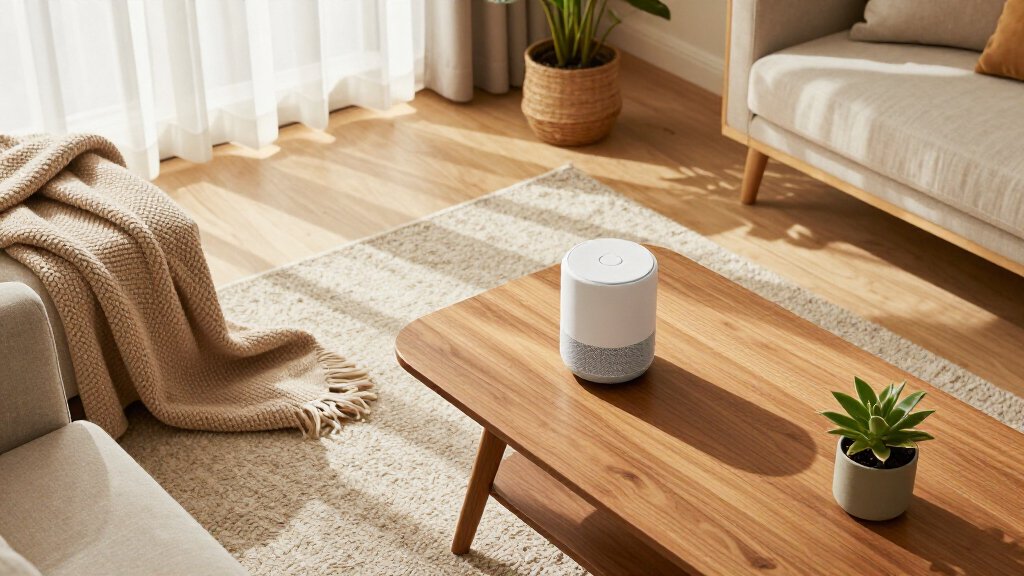
The Nomo earns the top spot in this lineup because it is the only product here that behaves like a true medical alert system rather than a pager. It combines a smart hub, two Satellite range extenders, and wearable Tags, which means coverage extends across a whole house instead of a single room. The headline feature is automatic fall detection: if the wearer goes down and cannot press anything, the system can still trigger an alert. None of the other three devices can do that, and for seniors who live alone, that difference is not a luxury, it is the entire point.
Compared with the WiFi Caregiver Pager, which is the closest competitor conceptually, Nomo adds two-way voice communication and a path to 24/7 professional monitoring through RapidSOS. During an emergency, the senior can talk to a responder directly through the hub without fumbling for a phone. The plug-and-play setup also means no technician visit, no wiring, and no landline, which puts it ahead of legacy medical alert products that assume a phone jack in every room.
The tradeoff is cost. After the included 30-day trial, the monitoring service requires a monthly subscription, and there is no way to use the full feature set without it. I would have liked clearer specifications on battery life and wearable range, and Nomo does not advertise waterproofing on the Tags, which matters if the wearer wants protection in the shower, one of the most common fall locations. Still, if the question is which device best protects a senior living independently, this is the answer.
Pros:- Automatic fall detection works even when the senior cannot press a button
- Two-way voice communication built into the hub for real emergencies
- Plug-and-play setup with range extenders for whole-home coverage
- No landline required and no technician installation visit
Cons:- Monthly subscription required after the 30-day trial ends
- Battery life and device range specifications are not clearly documented
- No advertised waterproofing on the wearable Tags
Best for: Seniors aging in place who live alone or spend long stretches unsupervised and need automatic fall detection plus a way to talk to a responder.
Not ideal for: Buyers who refuse any recurring subscription, or households where a caregiver is always present and only needs in-home paging.
- Components:Smart Hub, two Satellite range extenders, wearable Tags
- Connectivity:WiFi, no landline required
- Fall Detection:Yes, automatic
- Communication:Two-way voice
- Monitoring:24/7 via RapidSOS, optional subscription with 30-day trial
- Setup:Plug-and-play, no wiring
- Waterproof:Not advertised
Our verdict“The most complete safety net in this lineup, provided you accept the subscription that powers it.”
WiFi Caregiver Pager Life Alert System for Seniors with Waterproof Call Button, Watch Button, and Receiver
This option takes second place because it solves the biggest objection to the Nomo: recurring cost. App-based alerts and notifications are free, which means a family can set up a working alert system across a home for a one-time purchase price. The kit is also more generous than most, including a waterproof call button for the shower or bath, a wrist-worn button that behaves like a watch, and a plug-in receiver, so the senior gets two ways to call for help in the places where falls actually happen.
Where the Nomo is a monitoring service, this is a family alert system. The 656-foot rated range penetrates walls and doors effectively, and the customizable ringtones and volume levels let caregivers pick an alert sound they will actually notice from another room. Mounting flexibility is better than the basic Wireless Caregiver Pager too: you get screw mounting, an adhesive patch, and a lanyard option, so the same button can live by the bed, in the bathroom, or around a neck.
The compromises are real, though. The system requires a 2.4GHz WiFi network, which will frustrate households running 5GHz-only routers, and the free alerts only go so far. If you want SMS text messages or phone call alerts to reach adult children who live elsewhere, that capability sits behind a subscription, which quietly erodes the no-monthly-fee appeal. Device compatibility is also limited compared with a full medical alert system. Compared directly with the Nomo, you give up fall detection and two-way voice, but you keep most of the in-home safety value at a fraction of the running cost.
Pros:- No monthly fee for app-based alerts and notifications
- Waterproof call button covers the bathroom, where falls are common
- Three mounting options plus a wearable watch button
- 656-foot signal range penetrates walls and doors
Cons:- Requires a 2.4GHz WiFi network
- SMS and phone call alerts require a paid subscription
- Limited compatibility with other devices and platforms
Best for: Families who want a flexible, multi-button alert system with app notifications and no mandatory monthly fees.
Not ideal for: Seniors living alone who need automatic fall detection or professional emergency response.
- Connectivity:2.4GHz WiFi
- Range:656 feet (200 meters)
- Waterproof:Yes (call button)
- Includes:Waterproof call button, watch button, receiver
- Mounting Options:Screw, adhesive patch, lanyard
- Alerts:App notifications free; SMS and calls via subscription
- Customization:Selectable ringtones and volume levels
Our verdict“The best balance of cost and capability for families who alert each other rather than a monitoring center.”
Wireless Caregiver Pager with Call Button and Receiver for Elderly and Patients
Some households do not need WiFi, apps, or monitoring centers. They need a button that, when pressed, makes a chime ring in another room. This pager does exactly that, with no network requirements, no accounts, and no subscriptions, which makes it the simplest and most dependable entry point in this lineup. Its standout spec is range: at 1500 feet, it outdistances every other pick here, including the WiFi Caregiver Pager at 656 feet, so it suits larger homes or setups where the receiver sits far from the bedroom.
The IP55 waterproof and dustproof rating is another differentiator, and an honest one, because the Nomo does not advertise any water resistance at all. The button can survive bathroom humidity and routine splashes, and the wide operating temperature range of -4°F to 140°F means it works in a screened porch or garage. With 58 ringtones, 5 volume levels, and an expandable design that supports additional buttons and receivers, it covers the basics more thoroughly than its price suggests.
What you give up is everything smart. There is no smartphone integration at all, so alerts stop at the receiver, and the receiver itself must stay plugged into power, which limits where you can place it. Compared with the WiFi Caregiver Pager, this is the tradeoff in its purest form: longer range and true simplicity in exchange for zero remote notification. If a caregiver is always in the house, that trade is a bargain. If adult children rely on phone alerts from across town, this is the wrong tool.
Pros:- Longest range in the lineup at up to 1500 feet
- IP55 waterproof and dustproof build survives bathroom use
- Expandable with additional call buttons and receivers
- 58 ringtones, 5 volume levels, and an 18-month warranty
Cons:- No smartphone integration or remote alerts of any kind
- Receiver requires a constant power source
- Limited to basic call alert functionality
Best for: Budget-conscious households with an in-home caregiver who simply needs a reliable, long-range button-to-chime system.
Not ideal for: Anyone who needs remote alerts on a phone, since this system has no app or WiFi capability whatsoever.
- Range:Up to 1500 feet
- Call Buttons:1 (expandable)
- Receivers:1 (expandable)
- Ringtones:58
- Volume Levels:5
- Waterproof/Dustproof:IP55
- Temperature Range:-4°F to 140°F
- Warranty:18 months
Our verdict“The most dependable dumb option here, and for in-home caregiving, dumb is often exactly right.”
WiFi Smart Bed Sensor Alarm and Fall Prevention for Elderly, Adults, Seniors, Dementia, Wireless Caregiver Motion Sensor with App
This pick plays a completely different role from the other three, and that is exactly why it earns a place. Every button-based system in this lineup is reactive: it helps after something has gone wrong. The bed sensor is preventive. Placed under a mattress or on a doorframe, it detects movement, such as a senior getting out of bed at 3 a.m., and sends a smartphone notification before a fall happens in a dark hallway. For dementia care, where wandering at night is a serious risk, this proactive approach fills a gap that no call button can, because a confused senior may not think to press one.
The system runs on 4 AAA batteries and connects over WiFi with a rated range of 330 feet, the shortest in this lineup, so plan sensor and hub placement with walls in mind. It is also expandable, supporting multiple sensors and hubs, which means one system can watch a bed, a bedroom door, and a front door at the same time. Compared with the Wireless Caregiver Pager, you get true app-based alerts without any subscription, but you lose the simple press-for-help function entirely, since there is no button for the senior to use.
The limitations are worth stating plainly. It only supports 2.4GHz WiFi, like the WiFi Caregiver Pager, and the battery dependency means someone has to remember replacements, because a dead sensor fails silently. Alerts also connect to only one phone at a time for primary notifications, which is awkward for families sharing caregiving duties. As a complement to a button system it is excellent; as a sole safety device it is incomplete.
Pros:- Preventive alerts fire when a senior leaves bed or opens a door
- Smartphone notifications with no monthly subscription
- Expandable with multiple sensors and hubs for whole-home coverage
- Flexible placement under beds or on doorframes
Cons:- Only supports 2.4GHz WiFi networks
- Runs on 4 AAA batteries that require periodic replacement
- Limited to one phone connection at a time for primary alerts
Best for: Caregivers of seniors with dementia or nighttime wandering risk who want alerts before an incident, not after it.
Not ideal for: Anyone looking for a primary emergency alert device, since it has no call button and no fall detection.
- Power Source:4 AAA alkaline batteries
- Sensor Type:Contact/motion sensor
- Connectivity:2.4GHz WiFi
- Maximum Range:330 feet
- Alerts:Smartphone app notifications, no subscription
- Expandability:Supports multiple sensors and hubs
- Placement:Under bed or on doorframes
- Dimensions:3.9″L x 0.8″W x 3.9″H
Our verdict“A smart complement rather than a standalone solution, and uniquely valuable for night-time dementia care.”
How We Picked
When I compare senior-friendly smart home devices, I judge every option through one specific lens: does this product make daily life safer and simpler for an older adult and the people caring for them? That means I weight alert reliability, ease of setup, and ongoing cost far more heavily than raw feature counts or smart home ecosystem compatibility. A device with fifty ringtones but spotty signal is worse than a plain pager that always connects.
I also looked closely at how each product handles the subscription question. Some families want professional monitoring and will happily pay for it; others just need to know when Mom presses a button from the bedroom to the kitchen. Those are different products, and I ranked them accordingly rather than pretending one size fits all.
Finally, I considered the physical realities of senior households: thick walls, bathrooms where waterproofing matters, caregivers who are not tech-savvy, and batteries that nobody remembers to replace. Each pick below earns its place by solving a specific version of those problems better than the alternatives in this lineup, and I have flagged the tradeoffs honestly, because every one of these devices gives something up.
| senior-friendly smart home device | Waterproof | Alerts |
|---|---|---|
| Nomo Medical Alert System with | Not advertised | — |
| WiFi Caregiver Pager Life Aler | Yes (call button) | App notifications free; SMS and calls via subscription |
| Wireless Caregiver Pager with | — | — |
| WiFi Smart Bed Sensor Alarm an | — | Smartphone app notifications, no subscription |
Factors to Consider When Choosing Senior-friendly Smart Home Devices
Before choosing among these four devices, it helps to understand the factors that actually separate them. Below are the questions I would ask before spending a dollar on any senior alert product.Subscription or No Subscription
This is the single biggest dividing line in this lineup. The Nomo system requires a monthly fee to deliver its full value: professional 24/7 monitoring and emergency dispatch. The other three products carry no mandatory recurring cost, though the WiFi Caregiver Pager does charge for SMS and phone-call alerts beyond its free app notifications. My advice is to be honest about who responds when an alert fires. If adult children live ten minutes away and check their phones constantly, a free app alert is enough. If the senior is alone for long stretches, a monitoring service is what you are actually paying for.
Range and Home Layout
Rated ranges here run from 330 feet to 1500 feet, but those are line-of-sight numbers. Every wall, floor, and appliance between the button and the receiver cuts into real performance. A two-story home with a basement may need a mid-range extender, which is why the Nomo’s bundled Satellite extenders matter, or the raw reach of the Wireless Caregiver Pager. Measure the actual distance from the senior’s bedroom and bathroom to where the receiver will sit before comparing spec sheets.
Waterproofing and Placement
The bathroom is one of the most dangerous rooms in any senior’s home, so water resistance is not a minor spec. The WiFi Caregiver Pager’s shower-safe call button and the IP55-rated Wireless Caregiver Pager handle this well. The Nomo makes no waterproofing claims for its Tags, which I would treat as a shower gap needing a workaround. Think in terms of zones: bedroom, bathroom, and living areas each need a reachable button or sensor.
Reactive Versus Preventive Protection
Buttons respond to emergencies; sensors can prevent them. If the risk profile involves nighttime wandering, dementia, or unsteady bed exits, the WiFi Smart Bed Sensor addresses the problem before a fall occurs. If the senior is lucid and mobile but wants a way to call for help, a button system is the better fit. Many families will honestly benefit from one of each, and all four of these products coexist without conflict.
WiFi and Power Requirements
Two of these products only work on 2.4GHz WiFi, which most modern routers still broadcast but some mesh systems de-prioritize. Check your router settings before buying. Battery-powered devices like the bed sensor also introduce a maintenance burden, since a depleted battery fails quietly. Plug-in receivers avoid that problem but constrain placement. Match the power model to the person who will actually maintain the system.
Frequently Asked Questions
Do any of these devices work without a monthly subscription?
Three of the four do. The Wireless Caregiver Pager and the WiFi Smart Bed Sensor have no subscription costs at all, delivering their alerts through an in-home receiver and a smartphone app respectively. The WiFi Caregiver Pager is free for app notifications, though it does place SMS text and phone call alerts behind a paid tier, so read the fine print if remote family members do not use the app. Only the Nomo system requires a subscription to unlock its core value, because the 24/7 monitoring and emergency dispatch service is the product. After the 30-day trial, budget for that recurring cost as part of the ownership decision.
Which device is best if the senior lives alone?
For a senior living alone, the Nomo Medical Alert System is the clear choice among these four. Its automatic fall detection means help can be summoned even if the wearer is unconscious or unable to press a button, and the two-way voice feature lets a responder speak with the senior directly through the hub. The button-based systems all assume someone is nearby to receive the alert, which falls apart when the house is empty. If a subscription is truly off the table, the WiFi Caregiver Pager is the fallback, provided remote family members pay for the SMS and call alert tier so someone outside the house actually receives the notification.
Can these systems cover a large or multi-story home?
Range varies enormously across this lineup. The Wireless Caregiver Pager leads with a 1500-foot rating, followed by the WiFi Caregiver Pager at 656 feet, and the bed sensor at 330 feet. Remember that these figures assume open air; walls and floors reduce real performance on every device. The Nomo handles large homes differently, not with raw range but with its two included Satellite extenders, which relay the signal from wearable Tags back to the hub. For a sprawling single-story home, the long-range pager wins. For a multi-story house, the extender-based approach is often more reliable.
Will these devices work in the bathroom or shower?
Two of them are explicitly built for it. The WiFi Caregiver Pager includes a waterproof call button designed for shower use, and the Wireless Caregiver Pager carries an IP55 rating against water and dust with a temperature tolerance from -4°F to 140°F. The Nomo does not advertise any water resistance on its wearable Tags, which is a meaningful gap given how common bathroom falls are, so I would not rely on it in the shower without confirming with the manufacturer. The bed sensor is not meant for wet environments at all and should stay under the mattress or on a doorframe.
Is fall detection or fall prevention more important?
They solve different problems, and the answer depends on the senior’s risk profile. Fall detection, offered only by the Nomo here, responds after a fall has occurred and is most valuable for a senior living alone who might be unable to call for help. Fall prevention, the specialty of the WiFi Smart Bed Sensor, intervenes before the fall by alerting a caregiver the moment someone gets out of bed or opens a door at night. For dementia patients or seniors with a history of nighttime wandering, prevention is arguably more valuable because it stops the incident entirely. Ideally, families with serious fall risk layer both approaches rather than choosing between them.
Conclusion
After comparing all four, my recommendations break down cleanly by buyer type. If you are supporting a senior who lives alone, the Nomo Medical Alert System is worth every subscription dollar, because automatic fall detection and 24/7 monitoring are the only features in this lineup that work when nobody else is home. If you are a family on a budget with a caregiver in the house, the Wireless Caregiver Pager delivers the longest range and simplest operation with zero recurring cost. If you want phone-based alerts without monthly fees, the WiFi Caregiver Pager is the strongest middle path, especially with its shower-safe button. And if your priority is dementia care or nighttime safety, pair the WiFi Smart Bed Sensor with one of the button systems, because preventing a 3 a.m. fall beats responding to one. Whatever you choose, measure your home, check your WiFi band, and buy for the person who will actually use it, not for the longest spec sheet.