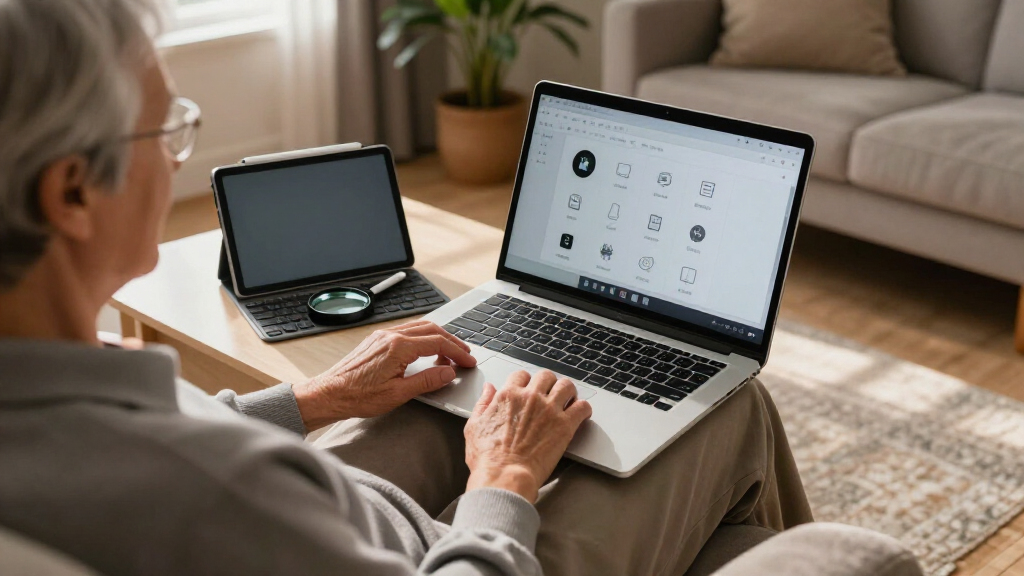

For most older adults, I recommend the HP Flagship 17 because its large touchscreen, capable Ryzen 5 processor, and roomy storage balance readability with long-term usefulness. The NIMO 15.6-inch laptop is my value pick for buyers who want a sharper Full HD display, fingerprint sign-in, and USB-C charging without paying for excessive memory. For someone who already owns a suitable computer but struggles to read its keys, the Large Print Keyboard Mouse Combo offers the most direct accessibility improvement.

Turn quiet afternoons into listening time
- Thousands of audiobooks, podcasts and originals
- Listen on your phone, tablet or Echo — also offline
- Cancel anytime
The main choice is between screen size and portability. A 17.3-inch laptop is easier to see but harder to carry, while a 15.6-inch model fits more comfortably on a small desk. Touch controls can reduce reliance on a trackpad, yet display sharpness, keyboard visibility, setup effort, and seller-added bundles matter just as much. I ranked these picks by how well they address those practical needs, rather than by specifications alone.
Complete the kit


Key Takeaways
- The HP Flagship 17 ranks first for its large touchscreen, strong Ryzen 5 performance, and 1TB internal SSD, but it is the least portable laptop here.
- The NIMO offers the best value balance, pairing a Full HD anti-glare screen with fingerprint sign-in and USB-C charging, though its 128GB SSD is restrictive.
- The HP 15.6-inch touchscreen has far more memory than most everyday users need, while its large storage bundle involves an external drive.
- The Large Print Keyboard Mouse Combo is the best accessibility upgrade for an existing computer, but its wires and lack of backlighting limit placement.
- The 15.6-inch AI Laptop ranks last because its Celeron J4105 processor and older wireless standards trail the other laptops despite useful memory and storage.
| HP Flagship 17 Touchscreen Laptop with Windows 11 Pro |  | #1 Best Overall | Display: 17.3-inch HD+ touchscreen, 1600 × 900 | Screen Finish: Anti-glare | Processor: AMD Ryzen 5 7430U, up to 4.3GHz | VIEW LATEST PRICE | See Our Full Breakdown |
| NIMO 15.6-inch IPS FHD Student Laptop |  | #2 Best Value | Display: 15.6-inch Full HD IPS, anti-glare | Processor: Intel Core i3-1215U, 6 cores, up to 4.4GHz | Memory: 8GB | VIEW LATEST PRICE | See Our Full Breakdown |
| HP 15.6-inch Touchscreen Laptop with 32GB RAM |  | #3 Best for Touch-First Multitasking | Display: 15.6-inch HD touchscreen | Processor: 6-core Intel Core i3-1215U | Memory: 32GB DDR4 | VIEW LATEST PRICE | See Our Full Breakdown |
| Large Print Keyboard Mouse Combo for Seniors |  | #4 Best Accessibility Upgrade | Keyboard Layout: Full-size with number pad | Print Size: Four times larger than standard | Keyboard Cable: 1.6m | VIEW LATEST PRICE | See Our Full Breakdown |
| 15.6-inch AI Laptop with Office 365 |  | #5 Best for Light Office Tasks | Display: 15.6-inch Full HD IPS | Processor: Intel Celeron J4105 | Memory: 12GB DDR4 | VIEW LATEST PRICE | See Our Full Breakdown |
| senior-friendly laptops and accessorie | Display | Processor | Memory | Operating System |
|---|---|---|---|---|
| HP Flagship 17 Touchscreen Lap | 17.3-inch HD+ touchscreen, 1600 × 900 | AMD Ryzen 5 7430U, up to 4.3GHz | 16GB DDR4 | Windows 11 Pro |
| NIMO 15.6-inch IPS FHD Student | 15.6-inch Full HD IPS, anti-glare | Intel Core i3-1215U, 6 cores, up to 4.4GHz | 8GB | Windows 11 |
| HP 15.6-inch Touchscreen Lapto | 15.6-inch HD touchscreen | 6-core Intel Core i3-1215U | 32GB DDR4 | Windows 11 Pro |
| Large Print Keyboard Mouse Com | — | — | — | — |
| 15.6-inch AI Laptop with Offic | 15.6-inch Full HD IPS | Intel Celeron J4105 | 12GB DDR4 | Windows 11 |
More Details on Our Top Picks
HP Flagship 17 Touchscreen Laptop with Windows 11 Pro
I rank the HP Flagship 17 first because its 17.3-inch touchscreen addresses two common barriers at once: small on-screen targets and awkward trackpad control. The Ryzen 5 7430U, 16GB of RAM, and 1TB internal SSD leave ample room for video calls, web browsing, photo libraries, and several open applications. Compared with the NIMO, this HP supplies much more storage and stronger performance, making it the better long-term household computer.
That accessibility comes with a physical cost. The large body is better suited to a desk than frequent travel, and its 1600 × 900 panel is less detailed than the NIMO’s Full HD screen. The anti-glare surface helps under room lighting, but buyers seeking the sharpest text may prefer the smaller NIMO after increasing Windows text scaling. I also would not choose this for advanced gaming because it lacks dedicated graphics. For a mostly stationary user who values large controls over low weight, however, it is the strongest all-around option.
Pros:- Large anti-glare touchscreen makes icons and controls easier to target
- Ryzen 5 processor and 16GB RAM provide strong everyday responsiveness
- 1TB internal SSD holds a sizable photo and document library
- Wi-Fi 6 and fast charging support convenient daily use
Cons:- Large chassis is less comfortable to carry
- 1600 × 900 resolution is below Full HD
- Integrated graphics are not intended for demanding games
Best for: I recommend it for a primarily home-based user who wants a large display, touch control, fast everyday performance, and generous internal storage.
Not ideal for: I would skip it for frequent travel, very small desks, or buyers who prioritize Full HD sharpness over physical screen size.
- Display:17.3-inch HD+ touchscreen, 1600 × 900
- Screen Finish:Anti-glare
- Processor:AMD Ryzen 5 7430U, up to 4.3GHz
- Memory:16GB DDR4
- Storage:1TB PCIe NVMe SSD
- Battery:Up to 9 hours with fast charging
- Connectivity:Wi-Fi 6 and Bluetooth 5.4
- Operating System:Windows 11 Pro
Our verdict“My top pick combines the lineup’s easiest-to-see touchscreen with performance and storage that should remain useful for years.”
NIMO 15.6-inch IPS FHD Student Laptop
The NIMO 15.6-inch laptop makes the most sense when I want practical senior-friendly features without the size or likely expense of the HP 17. Its Full HD IPS anti-glare display presents finer text, while Windows scaling can enlarge menus without making them look as soft. Fingerprint sign-in removes repeated password typing, and the webcam shutter gives a clear physical privacy control. A backlit keyboard also makes this model friendlier in dim rooms than the separate large-print keyboard.
Its Intel Core i3-1215U is responsive enough for email, appointments, streaming, and video calls, but 128GB of storage is the main compromise. The HP models offer far more room for photos and downloads. Eight gigabytes of RAM is adequate for routine use, though less forgiving than the 16GB or 32GB alternatives when many browser tabs remain open. In return, the NIMO is easier to move than the 17-inch HP and uses a convenient 65W USB-C charger. I place it second because it offers the best balance of clarity, convenience, and price-conscious hardware.
Pros:- Full HD IPS anti-glare display provides sharper text than either HP panel
- Fingerprint reader and webcam shutter simplify security and privacy
- Backlit keyboard improves key visibility in low light
- USB-C fast charging uses a convenient modern connection
Cons:- 128GB SSD can fill quickly with photos and downloads
- 8GB RAM offers less multitasking headroom than the HP models
- Integrated graphics and basic speakers limit entertainment performance
Best for: I recommend it for a budget-aware user who wants a clear anti-glare screen, simple biometric sign-in, and manageable 15.6-inch dimensions.
Not ideal for: I would avoid it for a large local photo collection, heavy multitasking, advanced creative work, or gaming.
- Display:15.6-inch Full HD IPS, anti-glare
- Processor:Intel Core i3-1215U, 6 cores, up to 4.4GHz
- Memory:8GB
- Storage:128GB SSD
- Battery:54Wh
- Wireless:Wi-Fi 6 and Bluetooth 5.2
- Security:Fingerprint reader and webcam shutter
- Charger:65W USB-C
- Operating System:Windows 11
Our verdict“I see the NIMO as the best-value laptop for buyers who favor a sharp screen and easy daily controls over abundant storage.”
HP 15.6-inch Touchscreen Laptop with 32GB RAM
I place this HP 15.6-inch touchscreen third for buyers who prefer tapping icons but find a 17-inch computer too bulky. The Core i3-1215U matches the NIMO’s capable everyday processor, while 32GB of RAM gives this HP far more breathing room for many tabs, video calls, and office applications. Its 1TB internal SSD also avoids the NIMO’s storage constraint.
Raw capacity does not make it the most senior-friendly package. The HD display is less sharp than the NIMO’s Full HD panel, and most casual users will never use all 32GB of memory. The advertised 1.5TB total includes a 500GB external hard drive, which adds a cable, another device to manage, and a separate backup routine. Windows 11 Pro and any bundled Office license should also be checked against the seller’s exact activation and renewal terms. I favor this model for touch control and unusually heavy multitasking, but the HP 17 remains easier to see and the NIMO offers better display detail.
Pros:- Touchscreen offers an alternative to precise trackpad movements
- 32GB RAM handles unusually heavy multitasking
- 1TB internal SSD provides substantial built-in storage
- Core i3-1215U delivers capable performance for everyday applications
Cons:- HD panel is less detailed than the NIMO’s Full HD display
- 500GB of the advertised storage is an external device
- 32GB RAM is excessive for basic email and browsing
Best for: I recommend it for a user who wants touch input, extensive internal storage, and ample memory in a standard-size laptop.
Not ideal for: I would skip it when display sharpness, a lightweight setup, or straightforward bundle licensing matters more than memory capacity.
- Display:15.6-inch HD touchscreen
- Processor:6-core Intel Core i3-1215U
- Memory:32GB DDR4
- Internal Storage:1TB SSD
- External Storage:500GB external hard drive
- Camera:720p HD with dual microphones
- Operating System:Windows 11 Pro
Our verdict“I recommend this HP when touch input and multitasking capacity outweigh the value of a sharper screen and simpler storage arrangement.”
Large Print Keyboard Mouse Combo for Seniors
This Large Print Keyboard Mouse Combo is the only pick here that can improve an existing computer without replacing it. Its legends are four times larger than standard print, making individual keys easier to identify than those on any laptop keyboard in the lineup. The laser-etched labels resist wear, while the full-size number pad helps with phone numbers and household accounts. I also like that the mouse is ambidextrous and offers three sensitivity settings.
Compared with buying the HP 17, this set is a much cheaper answer when the screen and computer still work well but typing has become difficult. It does require desk space and wired connections, making it a poor match for sofa use or regular travel. The keys are not backlit, so the NIMO remains better in dim lighting, and the space bar may sound louder than some users prefer. I rank the set fourth only because it is not a complete computer; as a targeted aid, it delivers the lineup’s largest improvement in key readability.
Pros:- Print is four times larger than standard keyboard lettering
- Laser-etched legends are designed to resist fading
- Full-size layout includes a number pad and wrist rest
- Ambidextrous mouse has adjustable 800, 1200, and 1600 DPI
Cons:- Wired design adds cables and limits placement
- Keys do not have backlighting
- Full-size keyboard needs more desk space
Best for: I recommend it for a desktop or docked-laptop user who has low vision, frequently mistypes small labels, or wants a full-size number pad.
Not ideal for: I would skip it for travel, cable-free desks, low-light rooms, or anyone who needs a complete computer rather than an input upgrade.
- Keyboard Layout:Full-size with number pad
- Print Size:Four times larger than standard
- Keyboard Cable:1.6m
- Mouse Cable:1.4m
- Mouse Sensitivity:800, 1200, or 1600 DPI
- Mouse Design:Optical and ambidextrous
- Comfort Features:Wrist rest, folding stand, and anti-slip pads
- Included Items:Mouse pad and dust cover
Our verdict“I recommend this set as the most focused visibility upgrade for a suitable computer already in the home.”
15.6-inch AI Laptop with Office 365
The appeal of this 15.6-inch Windows laptop lies in its Full HD IPS screen, 12GB of RAM, and 256GB SSD. Those capacities are more comfortable than the NIMO’s 8GB memory and 128GB drive, while the 180-degree hinge can help users find a comfortable screen angle. For email, document editing, and simple web browsing, it covers the basics.
I rank it last because its Celeron J4105 processor is much weaker than the Core i3 chips and Ryzen 5 found higher in the list. Extra memory cannot fully compensate for slower processing during Windows updates, busy websites, or video calls. Wi-Fi 5 and Bluetooth 4.2 also trail the newer connections in the NIMO and HP 17. The Office 365 inclusion and broadly described AI tools may add value, but I would verify the subscription length and software terms before purchase. This model fits narrow, light-duty needs; the NIMO is the better performance-led value choice.
Pros:- Full HD IPS display offers wide viewing angles and clear detail
- 12GB RAM is generous for basic office work
- 256GB SSD provides more starting capacity than the NIMO
- Storage can reportedly expand up to 2TB
Cons:- Celeron J4105 processor is the weakest laptop processor in this comparison
- Wi-Fi 5 and Bluetooth 4.2 are older than rival connections
- Office 365 duration and build quality need seller confirmation
Best for: I recommend it for a light-duty user who values a Full HD screen, basic document work, and expandable storage over processing speed.
Not ideal for: I would avoid it for impatient users, frequent video conferences, demanding software, long ownership expectations, or uncertain bundle terms.
- Display:15.6-inch Full HD IPS
- Processor:Intel Celeron J4105
- Memory:12GB DDR4
- Storage:256GB SSD, expandable up to 2TB
- Battery:7000mAh
- Wireless:Wi-Fi 5 and Bluetooth 4.2
- Ports:USB 3.2, USB-C, Mini HDMI, and audio jack
- Hinge:180-degree lay-flat
- Operating System:Windows 11
Our verdict“I would choose this only for light office use when its price is low and the software subscription terms are clearly documented.”
How We Picked
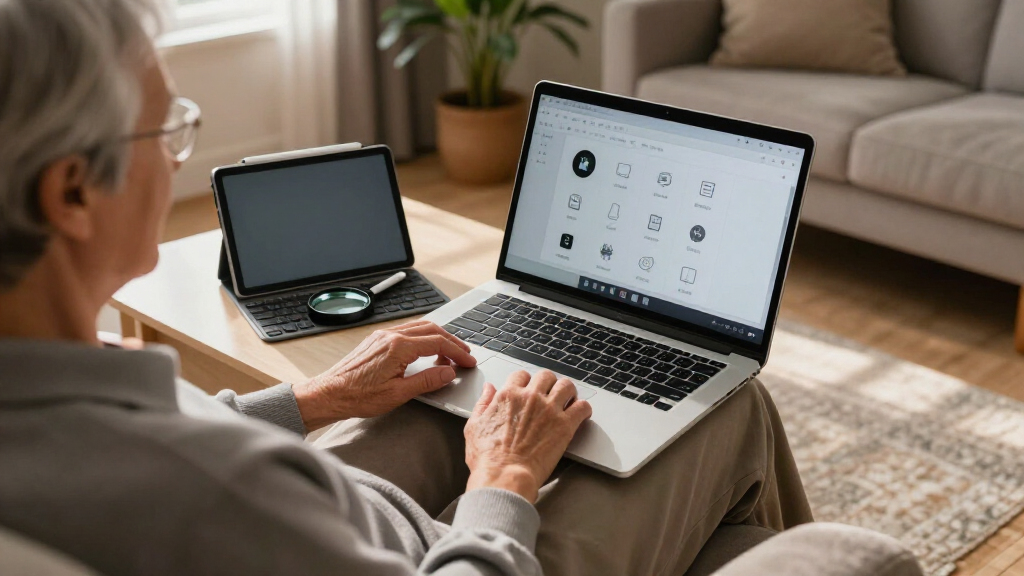
I weighted readability, control simplicity, and physical comfort more heavily than headline performance. Larger screens and touch input can help buyers who find small interface elements or trackpads frustrating. I also favored anti-glare panels, visible keyboards, straightforward charging, biometric sign-in, webcam privacy, and enough storage for photos and documents. A specification earned extra credit only when it produced a clear everyday benefit.
My ranking also accounts for portability, setup demands, and likely longevity. I placed the HP 17 ahead of the NIMO because its screen, touchscreen controls, processor, and storage suit a wider range of senior buyers. The NIMO follows closely as the more affordable and portable choice. I ranked the HP 15 below those two because its oversized memory allocation does less for routine use than a sharper display would. The keyboard combo occupies a separate accessibility role, while the Celeron-based laptop finishes fifth due to its weaker processor and less current connectivity.
| senior-friendly laptops and accessorie | Operating System |
|---|---|
| HP Flagship 17 Touchscreen Lap | Windows 11 Pro |
| NIMO 15.6-inch IPS FHD Student | Windows 11 |
| HP 15.6-inch Touchscreen Lapto | Windows 11 Pro |
| Large Print Keyboard Mouse Com | — |
| 15.6-inch AI Laptop with Offic | Windows 11 |
Factors to Consider When Choosing Senior-friendly Laptops And Accessories
I focus on the barriers a buyer is most likely to encounter every day: reading the display, locating keys, controlling the pointer, signing in, charging, and managing files.Choose Screen Size Before Chasing Performance
I would start by deciding where the laptop will live. A 17.3-inch screen produces larger physical text and touch targets at the same Windows settings, making the HP 17 well suited to a permanent table. A 15.6-inch model is easier to carry and store. Resolution matters too: the NIMO’s Full HD panel draws finer text than either HP display, especially after Windows scaling is raised to 125% or 150%.
Match the Controls to the User
I favor a touchscreen when tapping an icon feels more natural than coordinating a trackpad, but touch is not automatically easier for every user. Someone who types frequently may gain more from the large-print keyboard, which offers oversized legends and a number pad. Fingerprint sign-in on the NIMO is another useful control feature because it reduces password entry without removing account protection.
Buy Enough Speed, Not the Largest Number
For email, banking, streaming, and video calls, I would choose a modern Core i3 or Ryzen 5 before paying for unusually high memory. Eight gigabytes is workable, while 16GB provides comfortable headroom. The HP 15’s 32GB is useful for heavy multitasking but excessive for routine browsing. The Celeron laptop has 12GB, yet its slower processor makes it less responsive than the NIMO.
Keep Storage Simple
I prefer internal SSD storage because it requires no extra cable or backup device. A 1TB drive suits a large photo collection, while 128GB may require cloud storage or an external drive. The HP 15 advertises 1.5TB total, but 500GB is external. I would make sure the user understands where files are saved before introducing multiple storage locations.
Check Setup, Support, and Software Terms
I would confirm the seller, warranty route, return window, and exact contents before ordering. Bundled Office licenses and subscriptions can differ in duration and activation method. I also recommend arranging Windows text scaling, browser bookmarks, automatic backups, and a trusted support contact during setup. These changes often produce a bigger usability gain than adding memory an everyday user will never need.
Frequently Asked Questions
Is a touchscreen laptop easier for an older adult to use?
A touchscreen can be easier when the user already feels comfortable tapping a phone or tablet. It provides a direct way to select large icons and buttons without mastering a trackpad. I would still keep a mouse available for small website controls and text selection. Among these picks, the HP 17 offers the largest touch targets, while the HP 15 provides touch in a more compact body.
Is a 17-inch laptop too large for a senior?
It depends more on where the computer is used than on the buyer’s age. I recommend a 17-inch laptop for stationary use because the larger display is easier to view from a comfortable sitting position. It becomes inconvenient when carried between rooms or taken on trips. The NIMO is a better fit when lower bulk and sharper Full HD detail matter more than maximum screen area.
How much RAM does a senior-friendly laptop need?
I see 8GB as a practical minimum for email, browsing, streaming, and video calls on Windows 11. Sixteen gigabytes offers more room for many open tabs and future software updates. The HP 15’s 32GB is rarely necessary for basic home use. I would prioritize a readable screen and responsive processor before paying extra for memory that may sit unused.
Can Windows 11 text and icons be made larger?
Yes. Windows 11 includes display scaling, text-size controls, magnification, pointer sizing, contrast themes, and accessibility settings. I would begin with 125% or 150% scaling, then adjust text and pointer size separately. A Full HD display such as the NIMO’s keeps enlarged elements relatively crisp, while the HP 17 relies on greater physical screen area to improve visibility.
Is a large-print keyboard better than a backlit keyboard?
A large-print keyboard is better when the difficulty is reading small letter labels in normal lighting. A backlit keyboard, such as the NIMO’s, helps when room lighting is dim but does not necessarily enlarge the characters. I would choose the separate keyboard for a fixed desk and low-vision needs, while choosing backlighting for portability and evening use.
Conclusion
For a senior who uses a computer mainly at home, I recommend the HP Flagship 17 for its large touchscreen, strong processor, and spacious internal drive. I would choose the NIMO 15.6-inch laptop for better value, a sharper anti-glare display, fingerprint access, and easier portability. The HP 15 makes sense for touch-first users who keep many applications open, while the Large Print Keyboard Mouse Combo is my pick when an existing computer only needs more readable controls. I would reserve the Celeron-based AI Laptop for light office work at a clearly lower price, after confirming its Office subscription and support terms.
Halloween Picks
halloween
As an affiliate, we earn on qualifying purchases.