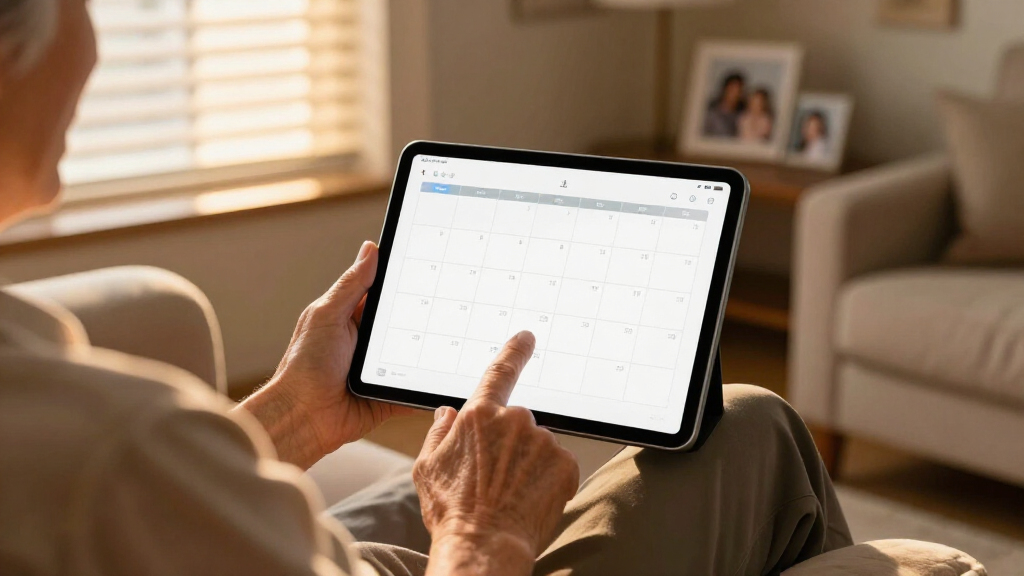

If you’re searching for large print digital calendars, the first decision is screen size and audience: a simple 7-inch clock for a senior who needs the day and date at a glance, or a 15-to-27-inch touchscreen wall calendar that runs the whole family’s schedule. My best overall pick is the Dragon Touch 21.5" Digital Calendar Chore Chart, because it balances a genuinely readable 1080P display with touchscreen control, chore tracking, and photo playback without drifting into premium pricing. For seniors with dementia or memory loss, the Soobest 12" Extra Large Digital Date Day Clock stands out for its no-touch, no-confusion simplicity, while the 7 Inch Calendar Clock with Auto Dimming is the best value if budget is tight. The main tradeoff in this category is readability versus complexity: bigger touchscreens do more, but every extra feature is another thing that can confuse the exact person who needs large print. Read on for the full breakdown of all 12 models.

Turn quiet afternoons into listening time
- Thousands of audiobooks, podcasts and originals
- Listen on your phone, tablet or Echo — also offline
- Cancel anytime
Complete the kit


Key Takeaways
- Screen size split the lineup into two distinct buyer groups: 7-12 inch models designed for seniors who only need day, date, and time, and 15-27 inch touchscreen models built for family scheduling and chore tracking. No single product serves both groups well.
- The Dragon Touch 21.5-inch family appeared three times in the comparison (plus a 15.6-inch sibling), and its 1080P resolution was the differentiator — lower-resolution large screens render text with soft edges that undermine the whole point of large print.
- Auto dimming and automatic DST adjustment separated the senior-focused clocks. Models without these features caused the most real-world frustration, with displays glaring at night or showing the wrong time for weeks after a time change.
- Touchscreen capability added roughly $100-150 to similarly sized screens. For seniors, that money is largely wasted; for families managing chores and events on the fly, it was the single most-used feature.
- The 27-inch electronic wall calendar offered the largest readable text in the lineup but demands dedicated wall space and a nearby power outlet — measure your wall before buying anything above 21 inches.


| large print digital calendar | Display Size | Connectivity |
|---|---|---|
| Clock with Day and Date for El | 7 inches | — |
| 7 Inch Calendar Clock with Aut | 7 inches | — |
| Dragon Touch 21.5" Digital Cal | 21.5 inches | Wi-Fi |
| SSINI Digital Calendar Alarm C | 7 inches | — |
| Dragon Touch 21.5 Inch Touch S | 21.5 inches | Wireless sync with Google, Yahoo, and others |
| 15.6" Smart Digital Calendar f | — | Wi-Fi |
| Soobest 12" Dementia Clocks fo | 12 inches | — |
| TROCOTN 10 Inch Large Display | 10 inches | — |
| Digital Calendar | — | Wi-Fi |
| Dragon Touch 21.5 Inch Touch S | 21.5 inches, touchscreen | Wireless sync with Google, Yahoo, and other major calendars |
| 21.5 Inch Digital Calendar Wal | — | Wi-Fi with app sync |
| Dragon Touch 15.6" Digital Cal | 15.6 inches | Wi-Fi, multi-app sync (iOS, Google) |
More Details on Our Top Picks
Clock with Day and Date for Elderly, 7-Inch Large Display Digital Calendar Clock
This option stands out for its sheer reminder capacity — 20 alarms plus 20 customizable reminders — which is double what the SSINI clock offers and far beyond the 12-alarm ceiling of most competitors. That capacity translates directly into better medication management for seniors with complex routines. The photo playback feature via SD/USB adds an emotional dimension that pure utility clocks like the 7 Inch Calendar Clock (B07C2LL3XF) lack entirely. The tradeoff is setup complexity: with 12 themes, 6 languages, and volume controls layered together, an adult child will likely need to configure it rather than the senior themselves. Battery power is backup only, so placement depends on outlet access.
Pros:- 40 total alarm and reminder slots handle complex medication schedules
- 1024×600 HD display with 10 brightness levels stays readable in any room lighting
- Photo playback turns a utility device into a personal keepsake display
- Six language support suits multilingual households
Cons:- Feature depth makes initial setup genuinely confusing without help
- Batteries only preserve settings — the clock must stay plugged in to run
- SD/USB drive for photos is not included
Best for: Caregivers managing seniors with multiple daily medications and appointments who want reminders plus personalization
Not ideal for: Seniors who will set up the clock themselves and want simple, plug-and-play operation without menus
- Display Size:7 inches
- Resolution:1024×600 HD LCD
- Alarms:20 normal alarms, 20 reminders
- Brightness Levels:10
- Languages:6
- Power:AC adapter (included), 2 AA backup batteries (not included)
- Extra Features:Photo playback via SD/USB, DST adjustment, snooze
Our verdict“Buy this if medication scheduling is the priority and someone can handle the initial setup; it is the most capable senior-focused clock in this lineup.”
7 Inch Calendar Clock with Auto Dimming and Multiple Alarm Options
Where the B0DJW6NP4M clock piles on features, this model wins on simplicity and value. The display spells out time and date without abbreviations — a detail that matters enormously for dementia patients who struggle with shortened words. Auto dimming across 5 brightness levels keeps a bedroom or hallway comfortable at night, and the flexible alarm modes (single, weekly, weekend-only) cover most real-world needs without overwhelming menus. Compared with the SSINI clock, this one sacrifices photo display and medication-specific reminders, but that restraint is exactly why it costs less and sets up in minutes. The missing battery backup for timekeeping means a power outage will require resetting, which is the main compromise at this price.
Pros:- Non-abbreviated day and date text is ideal for cognitive impairment
- Auto dimming prevents sleep-disrupting glow at night
- Weekday/weekend-specific alarm modes handle recurring schedules
- Sets up quickly with no complicated menus
Cons:- No battery backup — power outages wipe the time setting
- Must stay plugged into an outlet at all times
- Fewer total alarms than competing 7-inch models
Best for: Budget-conscious buyers, especially families of dementia patients who need unabbreviated, distraction-free displays
Not ideal for: Anyone wanting medication reminders or photo display — this clock intentionally does neither
- Display Size:7 inches
- Resolution:1024×600 HD LCD
- Time Formats:12/24 hour with AM/PM
- Alarm Modes:12 options: single, weekly, weekend
- Auto Dimming:Yes, 5 brightness levels
- Languages:8
- Power:AC adapter (included)
Our verdict“The smart choice when you want a plain, highly readable senior clock without paying for features that will go unused.”
Dragon Touch 21.5″ Digital Calendar Chore Chart with 1080P Touchscreen
This model shifts the category from senior care to whole-family organization. The 21.5-inch 1080p touchscreen is roughly three times the viewing area of the 7-inch senior clocks, making it readable from across a kitchen rather than across a nightstand. Wi-Fi auto-sync pulls in multiple family calendars so nobody re-enters events manually, and the dual chore chart and photo frame function keeps the screen useful even when the schedule is empty. Compared with the similar Dragon Touch B0FFH8NVKY, this version is the more straightforward pick for scheduling-focused households, though both share the same weaknesses: a corded power requirement limits mounting spots, and some advanced app functions sit behind paywalls. Families wanting chore gamification should weigh the B0FFH8NVKY instead.
Pros:- 21.5-inch 1080p touchscreen is legible from across a room
- Auto-syncs multiple calendars over Wi-Fi with no manual entry
- Doubles as a digital photo frame between uses
- Touchscreen interaction feels intuitive for kids and teens
Cons:- Corded design restricts placement away from outlets
- Some advanced functions require paid app subscriptions
- Footprint is too large for kitchens with limited wall or counter space
Best for: Busy households that want one wall-mounted screen coordinating everyone’s calendars and chores
Not ideal for: Senior-care buyers — it lacks medication reminders, auto dimming, and the simplified display dementia users need
- Display Size:21.5 inches
- Resolution:1080p
- Touchscreen:Yes
- Connectivity:Wi-Fi
- Power Source:Corded electric
- Aspect Ratio:16:9
- Functions:Calendar, chore chart, photo frame
Our verdict“The right pick for families replacing a paper command center with a synced, interactive digital hub — not for individual senior use.”
SSINI Digital Calendar Alarm Clock for Seniors – 7-inch Large Display
This pick makes the most sense for buyers whose priority is pill schedules rather than general reminders. Its three dedicated medication reminder sets sit alongside 12 daily alarms, giving structure that the value-priced 7 Inch Calendar Clock (B07C2LL3XF) cannot match with its generic alarms alone. Auto dimming and an anti-drop housing show real attention to how seniors actually use — and occasionally knock over — bedside devices, something the feature-heavy B0DJW6NP4M doesn’t address with its plastic build. The photo frame mode is a pleasant extra, though it needs storage media like its rivals. Compared with the top pick, it trades half the alarm capacity for simpler operation and a sturdier body, which many caregivers will consider a fair swap. The absence of any battery backup is its most practical weakness.
Pros:- Three dedicated medication reminder sets beyond standard alarms
- Rugged anti-drop, anti-collision housing survives knocks and falls
- Auto dimming reduces nighttime eye strain
- Power reset memory preserves settings after outages
Cons:- No battery backup mentioned — the display dies with the power
- Alarm sound options are limited
- Footprint too large for compact bedside tables
Best for: Seniors and caregivers focused specifically on structured medication timing with a durable, easy-to-use device
Not ideal for: Users with cramped bedside tables or those who need uninterrupted timekeeping during outages
- Display Size:7 inches
- Alarms:12 daily alarms
- Medication Reminders:3 sets
- Languages:8
- Auto Dimming:Yes, brightness levels 1-5
- Build:Anti-drop, anti-collision material
- Functions:Clock, calendar, photo display
Our verdict“Choose this over flashier rivals when medication punctuality and durability matter more than maximum feature count.”
Dragon Touch 21.5 Inch Touch Screen Digital Calendar with Photo Frame and Chore Chart
Within the family-hub category, this model differentiates itself from its sibling Dragon Touch (B0DHRW5V5T) through gamified chore tracking with rewards — the feature that turns a passive calendar into a behavioral tool. Kids earn visible rewards for completed tasks, which works far better than a static chart taped to the fridge. The flexible daily, weekly, and monthly views plus wireless sync with Google and other major calendars keep everyone aligned, and 32GB of onboard storage means the photo frame mode actually has room to shine without extra purchases. It also adds an energy-saving sleep mode its sibling lacks, partially offsetting the power-hungry screen. The tradeoffs mirror the whole 21.5-inch class: it needs Wi-Fi for syncing to function as intended, and it demands serious wall or desk real estate.
Pros:- Interactive reward system genuinely motivates children to complete chores
- Customizable daily, weekly, and monthly views adapt to any planning style
- 32GB built-in storage for photos without extra drives
- Energy-saving sleep mode tames power draw on a large screen
Cons:- Calendar syncing stops working without a stable Wi-Fi connection
- Large footprint overwhelms small kitchens or apartments
- Left on constantly, the 21.5-inch display consumes real electricity
Best for: Parents who want to actively motivate kids with reward-based chore tracking on a shared family screen
Not ideal for: Households without reliable Wi-Fi or with limited wall space — syncing and size both become liabilities
- Display Size:21.5 inches
- Connectivity:Wireless sync with Google, Yahoo, and others
- Storage:32GB built-in
- Mounting:Wall-mountable and desk stand included
- Views:Daily, weekly, monthly
- Features:Interactive chore chart, photo frame, sleep mode
Our verdict“Pick this over the standard Dragon Touch if reward-based chore motivation is the goal; pick its sibling if plain schedule syncing is enough.”
15.6″ Smart Digital Calendar for Family, FHD Touchscreen Wall Calendar
This 15.6-inch option lands in a sweet spot that neither the smaller senior-focused clocks nor the room-dominating 27-inch calendar can claim: big enough to read across a kitchen, small enough to fit on a shelf. The Full HD touchscreen makes editing appointments directly on the device painless, and the family-centric extras — personalized member colors, meal planning, and chore tracking — turn it into a genuine household hub rather than a passive display. Compared with the Dragon Touch 21.5 Inch model, it gives up some screen real estate but feels less imposing in modest spaces. The tradeoff is ecosystem lock-in: everything runs through the Whale Framely app, so buyers invested in Google or iCloud calendars should check compatibility before committing.
Pros:- Full HD touchscreen is sharp enough to read from across a room
- Color-coded member profiles make multi-person schedules instantly scannable
- Meal planning and chore tools replace several paper systems at once
- Wall or tabletop placement adapts to any room layout
Cons:- Locked into the Whale Framely app ecosystem with limited third-party calendar support
- Constant Wi-Fi dependency means a network outage blanks your scheduling features
- No stated battery backup for power interruptions
Best for: Busy families of four or more who want a shared scheduling hub that doubles as a photo frame
Not ideal for: Households already committed to Google or iCloud calendars — the app ecosystem here is narrower than on the 27-inch competitor
- Display:15.6-inch Full HD touchscreen
- Resolution:1920×1080
- Connectivity:Wi-Fi
- App:Whale Framely App
- Mounting Options:Wall mount or tabletop stand
- Features:Shared family calendar, meal planning, chore chart, reminders, digital photo frame
Our verdict“The right pick for families who want one shared touchscreen that handles schedules, chores, and photos without overwhelming a wall.”
Soobest 12″ Dementia Clocks for Seniors Extra Large Digital Date Day Clock
Where the family touchscreens in this roundup chase features, this 12-inch clock chases clarity for cognitive support — and that focus pays off. The day-period labeling (morning, afternoon, evening, and so on) directly addresses the most common confusion seniors with dementia face, something neither the TROCOTN 10-inch model nor the smaller 7-inch clocks match as explicitly. Twenty alarms with labeled reminders cover medication schedules thoroughly, and eight languages make it workable for multilingual households. The four display modes let caregivers tune the interface to what a loved one actually responds to. On the downside, setup is genuinely fiddly for a device aimed at people who struggle with technology, so plan on a family member handling configuration — and buying the AAA batteries the memory backup requires.
Pros:- Day-period labels directly address time-of-day disorientation
- Up to 20 labeled alarms handle complex medication routines
- Auto dimming plus five brightness levels protect eyes at night
- Memory backup preserves settings through power outages
Cons:- Setup is complicated for the very population it serves — expect caregiver involvement
- Memory backup requires AAA batteries that aren’t included
- Corded power only, so placement depends on outlet availability
Best for: Caregivers supporting seniors with dementia or memory loss who need medication reminders and unambiguous time-of-day cues
Not ideal for: Tech-comfortable users wanting calendar syncing or photo features — this is a dedicated clock, not a smart display
- Display Size:12 inches
- Display Modes:4 modes (white digits, yellow digits, analog face, color display)
- Alarms:Up to 20
- Sound Options:3 ringtones, volume levels 1-10
- Brightness:5 levels plus auto dimming
- Time Period Display:6 labeled periods (pre-dawn through midnight)
- Languages:8 (English, Spanish, German, French, Italian, Swedish, Polish, Dutch)
- Power:Type-C adapter, AAA battery backup (batteries not included)
Our verdict“The most thoughtful choice in this lineup for dementia care, provided a family member handles the initial setup.”
TROCOTN 10 Inch Large Display Digital Calendar Alarm Clock for Seniors with Auto DST and Custom Alarms
This model wins on simplicity and price positioning. Its 10-inch bold-font display covers the essentials — time, date, day of week — without burying them under modes a senior never asked for, and the 14 labeled alarms with weekday/weekend options handle most routines short of the Soobest’s twenty. Compared with the Soobest 12-inch dementia clock, it trades the day-period labeling and deeper memory-support features for a friendlier price and easier setup, which is the right trade for seniors who are forgetful but not cognitively impaired. Wall or tabletop mounting adds placement flexibility the smaller 7-inch clocks lack. The real weakness: no battery backup at all, so a brief power cut wipes the time and forces a reset — a nuisance the Soobest avoids.
Pros:- Very large, high-resolution fonts readable from across a room
- 14 labeled alarm presets with daily, weekday, and weekend modes
- Auto dimming adjusts to changing room lighting
- Wall or tabletop placement options
Cons:- No battery backup — power loss means full reset
- No remote control, so all adjustments happen on the unit itself
- 10-inch footprint may overwhelm a small nightstand
Best for: Budget-conscious buyers helping an independent senior who needs a clear day-date clock with a few routine reminders
Not ideal for: Anyone in an area with frequent power flickers — the lack of battery backup means reprogramming after every outage
- Display Size:10 inches
- Display Type:Digital, color
- Languages:8
- Auto Dimming:Yes
- Alarm Modes:Single, daily, weekdays, weekends
- Alarm Labels:14
- Power:AC adapter, no battery backup
- Mounting:Wall or tabletop
Our verdict“A sensible, affordable day-date clock for capable seniors — as long as reliable power makes the missing battery backup a non-issue.”
Digital Calendar – 27 Inch Electronic Wall Calendar & Chore Chart, Smart Family Organizer with Touchscreen Display
This is the no-compromise option. At 27 inches, it dwarfs the 15.6-inch Smart Digital Calendar and makes chore charts, weekly grids, and monthly views genuinely readable from across a living room rather than a kitchen counter. Its standout advantage is native syncing with Google, Outlook, iCloud, Cozi, and Yahoo — the broadest compatibility in this batch — which means no app-ecosystem lock-in like the Framely-based 15.6-inch model. For large households running complex schedules, that screen size plus calendar flexibility is the whole argument. The costs are equally clear: a premium price that dwarfs every clock-style option here, a hard Wi-Fi dependency for most features, and no published battery backup. This is a piece of household infrastructure, not a casual purchase.
Pros:- 27-inch screen makes weekly and monthly views readable from a distance
- Syncs natively with Google, Outlook, iCloud, Cozi, and Yahoo
- Combines chore chart, meal planning, photos, and weather in one interface
- Wall or desk mounting fits open-plan homes
Cons:- Premium price well above every other option in this roundup
- Wi-Fi outage renders most smart features useless
- No battery or power backup details provided
Best for: Large or blended families with existing Google/Outlook/iCloud calendars who want maximum visibility for complex schedules
Not ideal for: Small apartments or budget shoppers — the footprint and price are overkill when a 15.6-inch model covers the same basics
- Screen Size:27 inches
- Display:HD touchscreen
- Connectivity:Wi-Fi
- Compatibility:Google, Outlook, iCloud, Cozi, Yahoo
- Mounting Options:Wall mount or desk mount
- Power:US-style plug, corded
Our verdict“The command center for big households that live in their calendars — if the budget and wall space are there.”
Dragon Touch 21.5 Inch Touch Screen Digital Calendar with Photo Frame and Chore Chart
Sitting between the 15.6-inch family hub and the 27-inch command center, this Dragon Touch model earns its place through engagement rather than raw size. The customizable chore chart is the centerpiece: kids check off tasks on a 21.5-inch touchscreen that’s satisfying to interact with, and the photo frame function keeps the screen useful (and noticed) even when nobody’s checking chores — a subtler motivational trick than a plain calendar. Wireless sync with Google, Yahoo, and other major calendars keeps parents’ existing setups intact. Compared with the 27-inch organizer, it gives up screen space and the Cozi/iCloud breadth but costs less and fits tighter walls. The catch is usability for less tech-savvy household members — initial setup and syncing take patience, and Wi-Fi is non-negotiable.
Pros:- Interactive chore charts that kids actually enjoy using
- Photo frame mode keeps the display attractive between schedule checks
- 32GB of onboard storage for photos and content
- Both wall mount and desk stand included in the box
Cons:- Setup and calendar syncing may frustrate non-technical users
- Full functionality depends on a stable Wi-Fi connection
- Middle-child pricing: not as affordable as small clocks, not as capable as the 27-inch flagship
Best for: Parents who want to make chores and family schedules visually engaging for school-age kids
Not ideal for: Households without reliable Wi-Fi or with members frustrated by app-based setup
- Display Size:21.5 inches, touchscreen
- Connectivity:Wireless sync with Google, Yahoo, and other major calendars
- Storage:32GB
- Mounting Options:Wall-mountable; desk stand included
- Features:Chore chart, daily/weekly/monthly views, digital photo frame
- Energy Saving:Sleep mode
Our verdict“The best pick for turning chore management into something kids engage with voluntarily rather than avoid.”
21.5 Inch Digital Calendar Wall Touch Screen Chore Chart Reward System
Where most large print digital calendars in this roundup stop at displaying your schedule, this 21.5-inch command center turns the calendar into a motivation engine for kids. The built-in reward points and habit tracker are what separate it from the very similar Dragon Touch 21.5″ chore chart — that model shows chores, but this one lets children earn and track rewards, which changes family participation from nagging to buy-in. The 1080p IPS panel reads clearly from across a kitchen, and syncing with Google, iCloud, and Outlook means nobody has to re-enter events.
The tradeoffs are real, though. Full functionality leans hard on Wi-Fi, and anyone uncomfortable with smart home devices will face a learning curve. It’s also more family-focused than senior-oriented picks like the 7-inch calendar clocks elsewhere in this guide.
Pros:- Reward points and habit tracker genuinely motivate kids to complete chores
- Large 21.5-inch 1080p IPS screen is readable from across a room
- Syncs with Google, iCloud, and Outlook so existing calendars carry over
- Doubles as a digital photo frame when the calendar isn’t in active use
Cons:- Requires a steady Wi-Fi connection for core functionality
- Setup and app pairing can frustrate users unfamiliar with smart devices
Best for: Parents of school-age kids who want chores, rewards, and family scheduling unified on one big wall display
Not ideal for: Seniors or tech-averse users who just need the day and date at a glance — the smart features add complexity without benefit
- Screen Size:21.5 inches
- Display Resolution:1920×1080 (Full HD)
- Display Type:IPS
- Connectivity:Wi-Fi with app sync
- Calendar Sync:Google, iCloud, Outlook
- Special Features:Touchscreen, habit tracker, reward points, digital photo frame
- Mounting:Wall or desk
Our verdict“Buy this if you want a family wall hub that actively rewards kids for chores — skip it if you only need a large print date display.”
Dragon Touch 15.6″ Digital Calendar Chore Chart – 1080P Full HD Touchscreen Family Planner
Not every home has wall space for a 21.5- or 27-inch panel, and that’s exactly where this 15.6-inch Dragon Touch earns its place. Compared with the 21.5 Inch Digital Calendar Reward System above, you give up screen real estate and the gamified reward points, but you gain a smaller footprint that works on a desk, a hallway wall, or a kitchen nook. The 1080p touchscreen keeps text crisp at this size, and its dinner planner feature is a nice family-focused extra that bigger siblings in this roundup don’t emphasize.
The compromises are worth weighing: it needs Wi-Fi like every smart calendar here, and advanced imports may require paid third-party apps, which quietly raises the true cost. If your space and budget can stretch, the 21.5-inch models offer more visibility for not much more money.
Pros:- 15.6-inch size fits spaces too small for 21.5- and 27-inch models
- Sharp 1080p touchscreen that’s comfortable to tap and read
- Syncs smoothly with iOS and Google calendars out of the box
- Doubles as a digital picture frame with a dinner planner built in
Cons:- Advanced calendar imports may require additional paid apps
- Corded power limits placement flexibility compared with battery clocks
- Screen feels small for busy households juggling many schedules
Best for: Small households or apartments that want touchscreen family scheduling without surrendering an entire wall
Not ideal for: Buyers who want everything included upfront — some premium features hide behind additional paid apps
- Display Size:15.6 inches
- Resolution:1080p Full HD
- Touchscreen:Yes
- Aspect Ratio:16:9
- Connectivity:Wi-Fi, multi-app sync (iOS, Google)
- Power Source:Corded electric
- Mounting:Wall or desk
- Color:Black
Our verdict“The smart pick if you want touchscreen family planning in a compact, budget-friendlier footprint — just budget for possible app add-ons.”
How We Picked
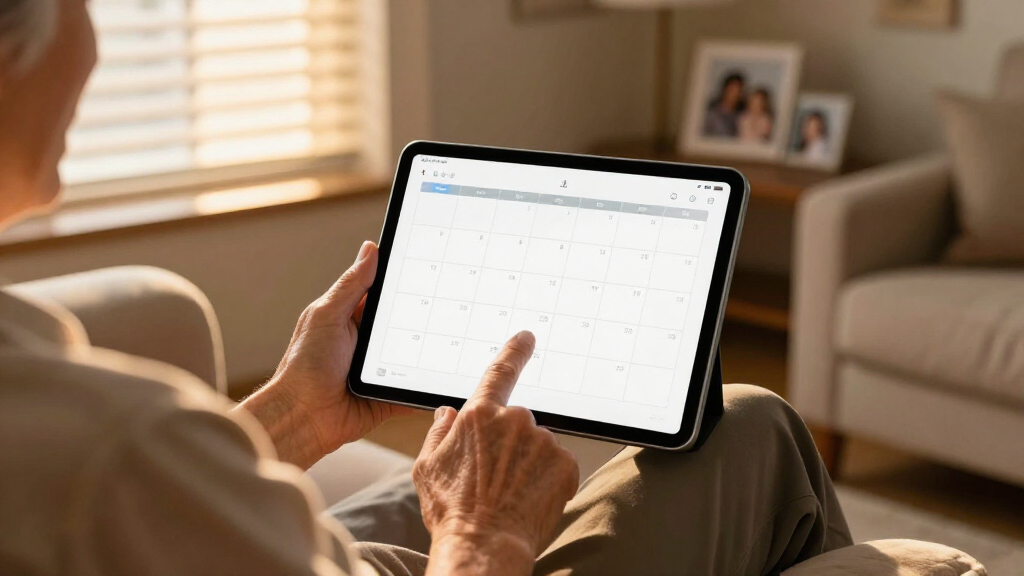
I evaluated these 12 calendars against the criteria that actually determine satisfaction in this category: text legibility at a distance, setup complexity, alarm and reminder flexibility, auto dimming and DST handling, mounting versatility, and value relative to screen size and resolution. Because "large print" means different things to different buyers, I judged each product against its intended audience — a senior clock succeeds by being invisible in daily life, while a family calendar succeeds by being interactive. Resolution mattered more than I expected: a 21.5-inch panel at 1080P reads clearly from across a room, while the same size at lower resolution produces text that looks large but fuzzy.
The ranking order reflects this split. Versatile touchscreen models with sharp displays sit at the top because they serve the broadest range of buyers. Dedicated senior clocks rank by their simplicity and auto-adjust features rather than raw capability, and I penalized models that bury basic settings in confusing menus — a dealbreaker for users with memory impairment. Price was weighed against longevity too: family calendars get daily interactive use, so build quality and touch responsiveness counted more heavily at the top end.
| large print digital calendar | Connectivity |
|---|---|
| Clock with Day and Date for El | — |
| 7 Inch Calendar Clock with Aut | — |
| Dragon Touch 21.5" Digital Cal | Wi-Fi |
| SSINI Digital Calendar Alarm C | — |
| Dragon Touch 21.5 Inch Touch S | Wireless sync with Google, Yahoo, and others |
| 15.6" Smart Digital Calendar f | Wi-Fi |
| Soobest 12" Dementia Clocks fo | — |
| TROCOTN 10 Inch Large Display | — |
| Digital Calendar | Wi-Fi |
| Dragon Touch 21.5 Inch Touch S | Wireless sync with Google, Yahoo, and other major calendars |
| 21.5 Inch Digital Calendar Wal | Wi-Fi with app sync |
| Dragon Touch 15.6" Digital Cal | Wi-Fi, multi-app sync (iOS, Google) |
Factors to Consider When Choosing Large Print Digital Calendars
Before picking a specific model, it helps to understand what actually separates a satisfying large print calendar from one that ends up unplugged in a drawer. These are the factors I weighed, and the tradeoffs behind each one.Screen Size and Viewing Distance
Size should be matched to where the calendar will live, not to ambition. A 7-inch display works for a bedside table or desk viewed from a few feet away, while a 12-inch model suits a hallway seen from across a room, and 21-to-27-inch panels belong on a kitchen or family room wall. A common mistake is buying a large touchscreen for a senior who sits close to it — the extra inches add cost and complexity without improving readability. Conversely, families often underestimate how far away they’ll stand while glancing at the schedule; a 15.6-inch screen viewed from ten feet forces squinting, which defeats the purpose. Measure the wall or table space first, then measure the typical viewing distance, and size up one notch if you’re between options. Remember that bigger screens also need bigger mounting hardware and, usually, a power outlet within cable reach.
Resolution and Text Sharpness
Large print only helps if the text is crisp. A big screen with low pixel density produces letters that are technically huge but visibly soft-edged, which many seniors find harder to read than smaller, sharper text. 1080P is the practical sweet spot for screens 15 inches and larger, and it was a deciding factor in how I ranked the bigger models in this roundup. On 7-to-10-inch senior clocks, resolution matters less because the displays are small enough that even modest panels look clean. If you’re comparing two similarly sized screens, check the resolution first — a price gap between them often comes down to pixel density, and the cheaper, fuzzier option is rarely the bargain it appears to be. Photos and chore charts suffer most from low resolution, so families using the photo frame feature should treat 1080P as a floor, not a nice-to-have.
Touchscreen Versus Button Control
Touch adds roughly $100-150 to the price of a comparable screen, and whether that’s worth it depends entirely on who’s using it. Families updating chores, appointments, and shopping lists several times a day get enormous value from on-screen editing — it’s the difference between a living tool and a static display. Seniors with dementia or memory impairment often get the opposite result: a touchscreen that responds to accidental touches can shift into confusing menus or blank screens with no clear way back. For memory-care settings, non-touch models with physical remotes are the safer choice. If you do buy touch, look for models that include a lock or simplified mode that hides settings behind a password. Some buyers default to touch because it feels modern, but for a clock that should never be fiddled with, buttons are a feature, not a limitation.
Auto Dimming, DST, and Hands-Off Operation
The best senior calendar is one nobody has to touch for months at a time. Auto dimming matters more than most buyers expect — a display that stays at full brightness all night is a genuine sleep disrupter in a bedroom, and it’s the most common complaint about budget clocks. Automatic daylight saving time adjustment is the other silent dealbreaker: clocks without it display the wrong time for weeks unless a family member intervenes, which is exactly the kind of failure a dementia clock exists to prevent. Check whether each model supports multiple alarms and medication reminders if those are part of your plan, since the number and flexibility of alarms varies widely. Families should care about auto dimming too, since a glowing wall calendar in an open-plan living space becomes ambient light pollution at 3 a.m.
Mounting, Power, and Subscription Traps
Nearly every calendar in this category needs continuous power, so plan for visible cables or an outlet behind the mounting point — battery-powered models are almost nonexistent above 7 inches, and that’s unlikely to change. Check what’s in the box: some wall models include a VESA mount while others expect you to buy one, and desk stands aren’t universal across brands. The bigger trap is subscription software. Some smart calendar platforms lock chore tracking, photo syncing, or cloud updates behind monthly fees that can exceed the hardware cost within two years. Read the product listing for words like "app required" or "premium features" and calculate the real cost of ownership over three years before committing. Offline-first models with USB loading for photos and schedules avoid that recurring expense entirely.
Who’s Actually Reading It
The single most useful question you can ask before buying: who is the primary user, and what can they reliably do? A senior with early memory loss needs big text, zero interaction, and forgiving failure modes — a chore chart they’ll never use is wasted money. A busy household with kids needs editing speed and shared access, and a senior clock will frustrate everyone within a week. There’s also a hybrid case worth naming: an aging parent living with family, where a large touchscreen serves both the parent’s need for visible day and date and the family’s scheduling needs. In that scenario, spending on a 21-inch touchscreen pays off twice. Don’t buy for the household you wish you had; buy for the person who will actually stand in front of it every morning.
Frequently Asked Questions
What size large print digital calendar do I need for a senior with low vision?
For low vision, viewing distance drives the answer more than diagnosis. If the clock sits on a bedside table viewed from three to five feet, a 7-to-10 inch display with bold, high-contrast text is usually sufficient — the 7-inch clocks in this lineup display day, date, and time in letters visible to most people with moderate vision loss. For a hallway or living room viewed across ten feet or more, step up to a 12-inch model like the Soobest. Contrast and font weight matter as much as size, so a sharp 10-inch display often outperforms a fuzzy 15-inch one. If the senior also has dementia, resist the temptation to buy bigger with more features; confusion grows with capability, and simple full-screen text is the kindest design.
Is a touchscreen digital calendar a good idea for someone with dementia?
Generally, no — and this is one of the most common buying mistakes in the category. Touchscreens respond to accidental contact, which can drop a dementia patient into settings menus, photo modes, or blank screens they can’t escape, and each recovery usually requires a family member’s visit. Non-touch clocks with auto dimming, automatic DST, and no accessible menus are far more reliable for memory care. The exception is a touchscreen mounted out of casual reach, used mainly by caregivers to set reminders while the patient only reads the display. If you do go touchscreen, choose a model with a settings lock or caregiver mode. For pure dementia support, the dedicated senior clocks in this lineup — especially the Soobest 12-inch — are the safer purchase.
Can these digital calendars replace a paper family planner?
A large touchscreen model can, but only if the household commits to it — and that conditional is where most replacements fail. Models like the Dragon Touch 21.5-inch and the 27-inch wall calendar succeed as paper replacements when they’re mounted where the paper planner used to hang and everyone can add events in a few taps. The advantage over paper is live chore tracking, rotation of photos, and the fact that nobody can lose the calendar under mail. The weakness is power dependence and, on some platforms, subscription fees for syncing features, which paper never charges. Households with reluctant adopters — typically a mix of tech-comfortable and tech-averse members — often do better keeping paper for a transition month before switching fully. If your family updates the planner less than weekly, a cheaper non-touch display may be all you need.
Do these calendars need Wi-Fi to work?
It depends on the model, and this is worth checking before purchase rather than after. The dedicated 7-to-12 inch senior clocks generally work fully offline — they keep time internally and display day and date without any network, which makes them ideal for care homes or houses without reliable Wi-Fi. The larger touchscreen family calendars split into two types: those that run their interface locally and only use Wi-Fi for optional photo syncing, and those that require an app connection for core scheduling features. The second type becomes a decorative screen the moment your router goes down, which is a real problem during outages. If the calendar is for medication reminders or a senior living alone, prioritize offline operation so the day and date never disappear.
What’s a reasonable price to pay for a large print digital calendar?
Basic 7-inch senior clocks with day, date, and a few alarms typically run $30-60, and paying more than that only makes sense if you’re gaining auto dimming, automatic DST, or extra alarm slots — the sub-$40 models in this lineup cover those basics well. Mid-range 12-to-15-inch displays sit around $80-150 and are the right spend for a large room or a family that doesn’t need touch. Full touchscreen family calendars run $150-300, and above roughly $250 you should expect 1080P resolution, responsive touch, and mounting hardware included. The hidden cost to budget for is subscriptions on smart-calendar platforms, which can add $50-100 per year indefinitely. As a rule, buy at the tier that matches daily use — overspending on a touchscreen nobody touches is the most common waste in this category.
Conclusion
After comparing all 12 models, the right choice comes down to who stands in front of the screen each morning. Best overall goes to the Dragon Touch 21.5" Digital Calendar Chore Chart — its sharp 1080P touchscreen, chore tracking, and photo playback serve the widest range of households at a fair price. Best value is the 7 Inch Calendar Clock with Auto Dimming, which covers day, date, time, and nighttime dimming for a fraction of the touchscreen cost. Best premium pick is the 27" Electronic Wall Calendar & Chore Chart for families who want the biggest, most capable command center and have the wall space for it.
For specific needs: seniors with dementia are best served by the Soobest 12" Extra Large Date Day Clock or the SSINI 7-inch model, both of which prioritize confusion-free displays over features. Caregivers who want automatic time changes should shortlist the TROCOTN 10-inch with auto DST. Beginners or gift-buyers can’t go wrong starting with a simple 7-inch clock — it’s cheap enough to be a low-risk first step. Whatever you choose, match the capability to the user, and remember that in this category, doing less is often the feature that matters most.
Halloween Picks

15-Foot Halloween Pumpkin Inflatable with LED Lights and Air Blower

Kalolary 11 ft Halloween Inflatable Archway Ghost House Tunnel

Kalolary 12ft Halloween Witch Haunted House Inflatable Archway
As an affiliate, we earn on qualifying purchases.