
TL;DR

Turn quiet afternoons into listening time
- Thousands of audiobooks, podcasts and originals
- Listen on your phone, tablet or Echo — also offline
- Cancel anytime
The easiest way to track your steps and activity is to choose a phone, watch, or pedometer you will use consistently, then compare your own movement over time. Steps show walking well but can miss other activities, and 10,000 steps is not a universal requirement. Start with a typical-week baseline and pick a modest, comfortable next step.
A step counter can show a smaller number on a day when you have spent an hour tending tomatoes, carried laundry upstairs, or pedaled a stationary bike. That does not mean your effort disappeared. Steps tell one part of the story, and the best tracker is the one that helps you see your own habits without making the day feel like a test.
This guide walks you through easy ways to track your steps and activity, from a phone in your pocket to a simple clip-on pedometer. You will learn how to find a personal starting point, set realistic goals, account for activity a step counter misses, and keep your information private. No perfect score required. Just a clearer picture of the movement already woven into your life.
Choose a phone, wrist tracker, or clip-on pedometer you can use comfortably and consistently.
Track an ordinary week before setting a target, then try one small addition that fits your routine.
Steps cover walking and running reasonably well but may miss cycling, swimming, strength work, and household movement.
Compare your own trend using the same device and routine; phone and watch totals do not need to match.
Treat reminders as optional prompts, review app permissions, and ask a qualified professional about goals suited to medical or mobility concerns.
A practical guide · Everyday movement
Easy Ways to Track Your Steps and Activity
See your own patterns, one ordinary day at a time. Choose a phone, wrist tracker, or simple pedometer you can use comfortably. Start with a typical week, then try one small change that fits your routine.
Steps tell part of the story. Your movement is bigger than a number.
TL;DR · At a glance
Pick a tracker you will actually use, note your usual movement for about a week, then compare your own trend over time. Steps capture walking fairly well but may miss cycling, swimming, strength work, and some household activity. There is no universal 10,000-step requirement. No perfect score required—just a clearer picture of the movement already woven into your life.
01 / Choose what fits
The best tracker is the one that stays with you
Think through an ordinary morning: where will the device be, can you read it easily, and when will you charge it?
Phone
Often includes a step counter or free app. It gives useful estimates when you carry it consistently, but it cannot count a walk while it sits on the counter.
A good fit if your phone is already in your pocket.Wrist tracker
Can stay with you throughout the day and may add active-minute estimates or reminders. Comfort and charging habits matter; totals can differ from a phone.
A good fit if you want hands-free, all-day tracking.Clip-on pedometer
Offers a straightforward step count without a crowded screen of extra features. Remember to attach it in the same way so your comparisons stay useful.
A good fit if you prefer a basic counter.02 / Start with your baseline
Learn your usual week before changing it
Track ordinary days without trying to improve them first. The pattern gives you a practical place to begin.
Pick one tracker
Use it in roughly the same way each day.
Record a typical week
Include busy, quiet, and unusual days.
Notice the pattern
Look across the week, not at one outlier.
Add one small change
Try it for a week or two, then review.
A higher Saturday count after visiting the farmers’ market is useful context, not a score to beat. If it feels comfortable, try a five-minute loop on two weekdays and see whether it fits your life.
Some effort never becomes a step
A counter estimates walking and running; very short or slow movement may also go uncounted. Pair steps with active minutes or one simple note about other activity. A single line on a calendar is enough.
Movement a step total may miss
04 / Find an easy opening
Let activity fit the rhythm of your day
Look for a natural moment rather than a grand new plan. Everyday movement counts.
05 / Keep it useful and personal
Compare trends, protect your choices
Tracker numbers are estimates. Use them as clues about your habits, not as a diagnosis or a test.
Phones and watches use different sensors and algorithms. Compare your own trend on one device rather than expecting matching totals.
Review app access, account settings, and data-sharing choices for health and location information.
There is no single step target for everyone. Ask a qualified health professional about goals suited to medical or mobility concerns.
Choose a tracker that fits into your everyday routine
The easiest way to track your steps and activity is to use a device you already carry or can comfortably wear most days. A phone, wrist tracker, or clip-on pedometer can each show useful patterns, but none helps much if it is left on the kitchen counter. Pick the option that suits your habits, eyesight, comfort, and charging routine.
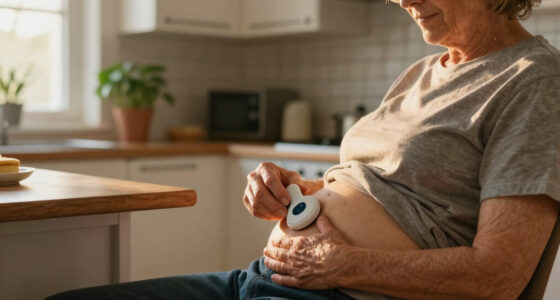
A phone may be the simplest starting point because many phones include a step-counting app or can use one. It only records movement reliably when you carry it, though. If you leave it plugged in beside the kettle while you walk around the garden, its total will miss that stroll. A wrist-worn band stays with you more easily, while a clip-on pedometer can feel pleasantly straightforward if you want a number without a crowded screen of extra features.
Think through an ordinary morning before choosing. If you keep a phone in your cardigan pocket while watering geraniums, that may be enough. If you dress without pockets, a comfortable wrist device may fit better. If a small display is hard to read, check whether the device offers larger numbers or a clear app view.
Battery life and charging deserve a place in the decision, too. A tracker that needs frequent charging can miss the very days you want to compare. Choose something you can charge as part of an existing habit, such as while you read the evening paper, and check what permissions its app requests before sharing health or location information.
Products Worth Considering

Greenworks 40V Cordless Leaf Blower/Vacuum, 505 CFM, 5.0 Ah Battery and Charger

Orbit B-hyve XR 8-Zone Indoor/Outdoor Smart Sprinkler Controller

Traeger Woodridge Pro Wood Pellet Grill and Smoker, 970 sq. in.
As an affiliate, we earn on qualifying purchases.
Build a baseline before you raise your daily step goal
Before setting a new target, track your usual movement for about a week without trying to change it. That baseline gives you a picture of your ordinary days, including errands, time in the kitchen, and the walk to the mailbox. From there, you can set realistic goals based on your own life instead of borrowing a number that may not suit you.
- Pick one tracker and use it in roughly the same way each day.
- Record a typical week, including busy and quiet days; add a short note about unusual outings.
- Look at the pattern across the week instead of judging one unusually low or high day.
- Choose one small addition, such as a brief walk after lunch or a few more minutes in the garden.
- Review after a week or two and keep, adjust, or pause the change based on how it fits.
Suppose your usual weekday count sits near 3,200 steps, while Saturday rises to 4,800 because you visit the farmers’ market. That pattern is useful information, not a shortcoming. You might try adding a five-minute loop along the lane on two weekdays, then see whether it feels comfortable and repeatable.
There is no universal requirement to reach 10,000 steps a day. The figure became popular partly through marketing, and research generally finds benefits can begin below it. A modest increase from your starting point may be a more practical goal; if you have a medical condition or mobility concerns, ask a qualified health professional for personal guidance.
Know what a step count can miss around the house
A step count is a useful estimate of walking and running, but it is not a complete record of your activity. Trackers may miss cycling, swimming, strength exercises, and some slow or very short movements. Pairing steps with active minutes or a brief note about what you did can help you see more of your day.
Think about a morning spent kneading bread dough, carrying a basket of laundry, and pruning roses. Those jobs take movement and effort, yet a counter may capture only the walk between rooms or out to the garden. A step total of 1,600 cannot explain the whole morning on its own.
For a fuller picture, use an activity mode if your device has one, or jot a simple note such as “20 minutes gardening” or “stationary bike after breakfast.” You do not need to turn the kitchen into a record-keeping office. One line on a calendar can be enough to remind you that your movement came in many forms.
Newer phones and trackers may also estimate active minutes, heart rate, sleep, or calories. These features can add context, but estimates vary with the device and the activity. Treat them as clues about personal trends, not direct measurements or a diagnosis. Calorie-burn estimates in particular can be imprecise, so there is little reason to let a small number on a screen overshadow the satisfaction of finishing your walk.
Use daily movement patterns to find easy ways to add activity
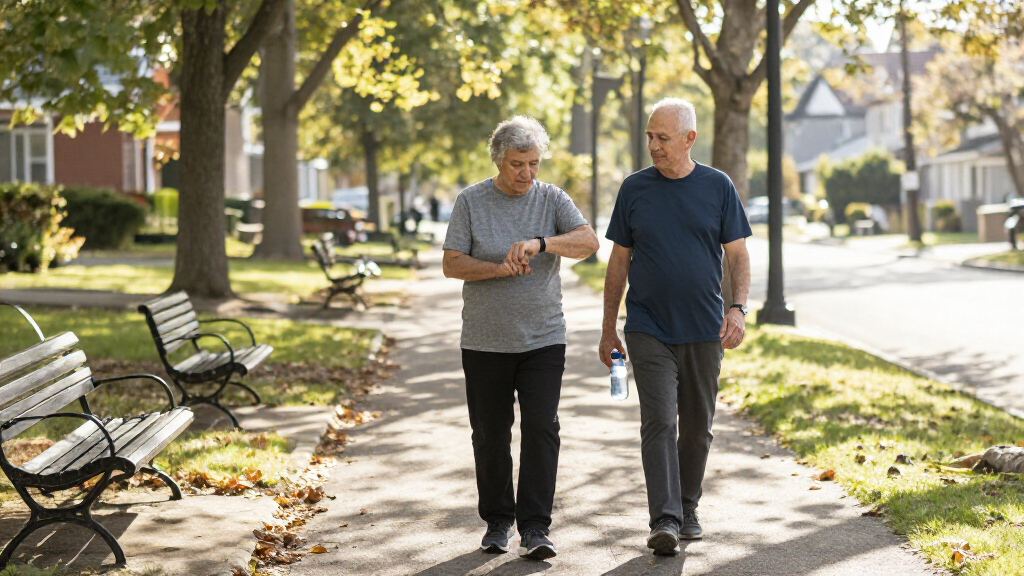
Tracking daily movement can help people spot the parts of the day when a little extra activity feels easiest. Look for a natural opening in your routine rather than forcing a grand new plan. Everyday movement counts, whether it comes from walking to the postbox, sweeping the porch, or strolling with a neighbor.
- After breakfast: Walk to the end of the drive and back before settling in with the newspaper.
- During a phone call: Stand or take a few gentle laps through the hallway if that feels safe and comfortable.
- In the garden: Water a few pots, then pause; another round later can break up a long spell indoors.
- On an errand: Park where it suits your comfort and access needs, then enjoy a short walk to the entrance.
For example, if your activity summary shows a long quiet stretch in mid-afternoon, you might take a five-minute wander around the yard before making tea. That small change is concrete and easy to notice. If you enjoy music, a favorite tune can mark the time; if you prefer company, a friend’s regular call can become a friendly prompt.
Reminders can be helpful when they feel like gentle nudges, not orders from a wrist. Adjust or switch them off if they interrupt rest, chores, or conversation. Your tracker should support the rhythm of your day, and an alert should never replace individual medical advice. If you use a mobility aid or have a balance concern, choose routes and activities that suit your needs.
Make sense of different totals without chasing a perfect number
Two devices can show different step totals for the same day because they sit in different places and use different sensors and counting rules. A watch may register arm movement that a phone in a bag does not, while a phone may miss steps when you set it down. To follow your progress, compare readings from one device used in a consistent way.
Imagine your watch reports 4,600 steps and your phone reports 3,900 after a morning walk and a trip to the shops. The mismatch does not mean one device has exposed a hidden truth about your fitness. It means each has made an estimate from its own position and software. Pick the one you find easier to use and notice whether your usual count trends upward, stays steady, or changes with your routine.
Consistency matters more than a perfect count. A device can miss steps or count some arm movements as walking, so a single day’s total is best treated as a rough guide. If you usually carry the phone in a coat pocket, try to keep doing that when you compare weeks. Moving it between a handbag, trouser pocket, and kitchen counter makes the numbers harder to interpret.
A daily goal is a planning aid, not a pass-or-fail mark. Rain, visitors, a long drive, or a quiet afternoon can change your total. Look at the broader pattern and ask whether the routine is still comfortable. If the goal brings more frustration than encouragement, adjust it. Your tracker should be a compass for your habits, not a judge at the garden gate.
Keep tracking comfortable, private, and easy to maintain
A tracking routine works best when it feels comfortable, simple, and respectful of your privacy. Before settling in with an app or device, check whether the screen is easy to read, the band feels pleasant on your wrist, and charging fits into your day. Then review what information the app stores and which sharing options you actually want.
Some apps request access to location, contacts, or other phone information. Read the permission choices and account settings, especially if you do not want your walking routes or activity history shared. You may be able to use a basic step total without turning on every feature. If the settings are confusing, ask someone you trust to help you read them; you get to decide what stays private.
Keep the routine light. You could check your weekly pattern on Sunday afternoon while the kettle warms, rather than staring at the screen after every trip across the room. If your device stops charging or the app becomes a nuisance, take a break and return to a simpler method, such as marking walks on a paper calendar. A counter is only useful when it serves your day.
If walking is limited or uncomfortable, a step number may not reflect the activities that suit you. You might track movement sessions or active minutes instead, with goals discussed with a qualified professional or physical therapist when personal guidance would help. The point is to notice a pattern that is meaningful to you, whether that means a longer walk, steady chair-based movement, or keeping up with a favorite garden chore.
Frequently Asked Questions
How many steps should I aim for each day?
There is no single daily target that suits everyone, and 10,000 steps is not a universal requirement. Track a typical week first, then choose a modest increase that feels manageable. If you have a medical condition or mobility concern, ask a qualified health professional for personal guidance.
Do I need a smartwatch to count my steps?
No. A phone or basic pedometer may be enough to notice your walking patterns. A wrist tracker can be more convenient if you want to wear it throughout the day or see extra activity information, but comfort and ease of use matter more than the number of features.
Why do my phone and watch show different step totals?
Devices use different sensors, placement, and counting rules. Your watch may pick up arm movement, while a phone left in a bag or on a table may miss walking. Compare your own progress with one device used consistently rather than expecting the totals to match.
Does walking around the house count as activity?
Yes. Walking through the hallway, doing laundry, or tending indoor plants all contribute to your movement, even if a tracker misses a few short or slow trips. A low step total does not capture every useful thing you did that day.
Can a step tracker count cycling, swimming, or strength exercises?
A step counter may not capture those activities well because it focuses on steps. Use an activity mode if your device has one, or write down the session or active minutes. This gives you a fuller picture than steps alone.
Are tracker calorie estimates exact?
No. Calorie figures rely on estimates and can differ from a person’s actual energy use. Treat them as rough device estimates, not measurements or medical guidance; your activity pattern is usually more helpful than chasing a calorie number.
Conclusion
Start with the movement you already have. Pick one tracker, follow a typical week, and choose a small change that feels pleasant enough to keep. Your progress might be a short walk after breakfast or another few minutes among the roses.
Let the number point you toward a routine, then look up from the screen and enjoy the day. The best count is the one that helps you keep moving at your own pace.