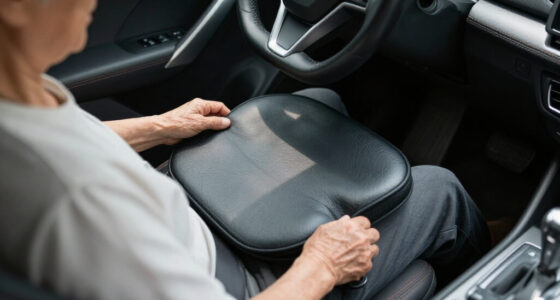

Senior-friendly home safety devices mostly fall into three camps: call-button pager systems that let a senior summon help, bed and chair sensor alarms that alert caregivers before a fall happens, and AI-powered fall monitors that watch without any buttons at all. After comparing these 12 options, the CallToU Caregiver Wireless Pager System stands out as the best overall pick for its reliable range, simple one-button operation, and flexible placement. If fall prevention is the priority, the Lunderg Wireless Early Alert Bed Alarm System triggers before a senior is fully out of bed rather than after, and the Mercury Alert AI Senior Fall Monitor is the pick for families who want hands-free monitoring with no wearables. The main tradeoff in this category is simplicity versus coverage — basic pagers are easy for any senior to use but cover only one room or function, while sensor and AI systems guard proactively but cost more and take longer to set up. Keep reading for the full breakdown of what each device does well and who should skip it.

Turn quiet afternoons into listening time
- Thousands of audiobooks, podcasts and originals
- Listen on your phone, tablet or Echo — also offline
- Cancel anytime
Complete the kit


Key Takeaways
- Call-button pagers dominated this lineup (7 of 12 products), but they only work if the senior is conscious and able to press — sensor alarms and AI monitors fill that gap.
- The Lunderg Early Alert system earned the top fall-prevention spot because it fires the alert before the senior’s feet hit the floor, while most budget bed alarms trigger too late to actually prevent a fall.
- Mercury Alert’s AI monitor is the only option here requiring no button press, no pad placement, and no wearable — but it carries a premium price and depends on Wi-Fi quality.
- Among the nearly identical CallToU variants, the Wi-Fi model (#7) matters only if caregivers want phone alerts when they’re away from home; otherwise the cheaper standard model is the smarter buy.
- Chair pad systems like the Smart Caregiver Weight Sensing Pad cover a blind spot bed alarms miss — seniors who nap or doze in recliners — but the pads are a consumable that wears out and needs replacing.
- Sub-$25 pagers (FullHouse, generic models) are fine as backup buttons but consistently trade away range, volume, and battery life.
| CallToU Caregiver Wireless Pager System with Call Button and Receiver |  | Best Overall | Number of Call Buttons: 1 | Range: 500+ ft | Ringtone Options: 55 | VIEW LATEST PRICE | See Our Full Breakdown |
| Professional Bed Sensor Alarm and Fall Prevention for Elderly, Dementia, Caregiver Pager Motion Sensor |  | Best for Nighttime Fall Prevention | Range: 918 feet | Power Modes: Battery and Micro USB | Alert Modes: Sound + light flashing, light flashing, LED light, 113dB alarm | VIEW LATEST PRICE | See Our Full Breakdown |
| Wireless Caregiver Pager Motion Sensor Alarm Indoor Room Bed Alarms |  | Best Value | Detection Range: 16.4 ft | Detection Angle: 110° | Wireless Range: 260 ft open area; 10–40 m through walls/doors | VIEW LATEST PRICE | See Our Full Breakdown |
| PILSAMAS Bed Alarms for Elderly Dementia Patients, Motion Sensor Pager Set |  | Best for Whole-Home Monitoring | Maximum Range: 1000 feet | Sensor Technology: Motion sensor | Alert Type: Motion only | VIEW LATEST PRICE | See Our Full Breakdown |
| Mercury Alert AI Senior Fall Monitor |  | Best Premium / Smart Monitoring | Sensor Technology: AI-powered passive infrared and motion sensing with machine learning | Maximum Range: 30 feet | Power Source: AC power / corded electric (no battery) | VIEW LATEST PRICE | See Our Full Breakdown |
| Smart Caregiver Fall Prevention Monitor and Weight Sensing Chair Pad |  | Best for Chair-Based Fall Prevention | Size: 10in x 15in | Material: Vinyl | Battery: One 9V battery (not included) | VIEW LATEST PRICE | See Our Full Breakdown |
| CallToU Wi-Fi Wireless Caregiver Pager with Emergency Call Buttons and Receiver |  | Best Smart Pick for Family Caregiving | Range: 328 feet | Connectivity: 2.4GHz Wi-Fi + RF | Included Buttons: Call button and watch button | VIEW LATEST PRICE | See Our Full Breakdown |
| CallToU Caregiver Pager with 2 Wireless Call Buttons for Elderly at Home |  | Best Value for Two-Zone Coverage | Number of Call Buttons: 2 | Range: 500+ ft | Ringtone Options: 55 | VIEW LATEST PRICE | See Our Full Breakdown |
| FullHouse Caregiver Pager Wireless Emergency Call Button for Elderly |  | Best for Loud, Long-Range Alerts | Range: Up to 1000 feet | Waterproof Rating: Splash proof, not immersible | Melodies: 52 tunes | VIEW LATEST PRICE | See Our Full Breakdown |
| Wireless Caregiver Pager with Call Button and Receiver for Elderly and Patients |  | Best Expandable System for Multi-Room Care | Range: 1500 feet | Expandability: Up to 30 call buttons, multiple receivers | Waterproof Rating: IP55 | VIEW LATEST PRICE | See Our Full Breakdown |
| Caregiver Pager with 2 Wireless Call Buttons for Home Care |  | Best for Whole-Home Coverage | Range: Up to 500 feet | Call Buttons: 2 wireless buttons | Receiver: 1 portable receiver | VIEW LATEST PRICE | See Our Full Breakdown |
| Lunderg Wireless Early Alert Bed Alarm System for Elderly & Fall Prevention |  | Best for Bedside Fall Prevention | Sensor Pad Size: 10 x 33 inches | Wireless Range: Up to 400 feet | Battery Life: 15 months | VIEW LATEST PRICE | See Our Full Breakdown |
| senior-friendly home safety device | Range | Power Source |
|---|---|---|
| CallToU Caregiver Wireless Pag | 500+ ft | Receiver plugs into outlet |
| Professional Bed Sensor Alarm | 918 feet | — |
| Wireless Caregiver Pager Motio | — | — |
| PILSAMAS Bed Alarms for Elderl | — | Battery powered (Lithium Polymer) |
| Mercury Alert AI Senior Fall M | — | AC power / corded electric (no battery) |
| Smart Caregiver Fall Preventio | — | — |
| CallToU Wi-Fi Wireless Caregiv | 328 feet | 2 AAA batteries (included) |
| CallToU Caregiver Pager with 2 | 500+ ft | — |
| FullHouse Caregiver Pager Wire | Up to 1000 feet | — |
| Wireless Caregiver Pager with | 1500 feet | Battery |
| Caregiver Pager with 2 Wireles | Up to 500 feet | 4 AA batteries (included) |
| Lunderg Wireless Early Alert B | — | — |
More Details on Our Top Picks
CallToU Caregiver Wireless Pager System with Call Button and Receiver
When a senior can still summon help on their own, a simple call button beats any motion sensor — and this CallToU kit does that job with fewer false alarms than sensor-based rivals like the PILSAMAS motion pager. The waterproof, dustproof button works in the bathroom, where falls are most common, and the 500+ ft range covers most single-family homes. Compared with the Wi-Fi CallToU pager elsewhere in this roundup, this version skips internet dependency, which makes it more reliable during outages but limits alerts to whoever holds the receiver. The tradeoff is real: there’s no battery backup on the outlet-powered receiver, and one button means one coverage zone. For families who want a dependable, no-subscription starting point, this option makes the most sense.
Pros:- Waterproof call button works in the bathroom, the highest-fall-risk room
- 500+ ft wireless range covers most single-story and many two-story homes
- 55 ringtones and volume up to 110dB let caregivers customize alerts
- No monthly fees or Wi-Fi dependency
Cons:- Receiver needs an outlet with no battery backup, so a power outage silences it
- Only one button and one receiver included, limiting multi-room coverage
Best for: Seniors who can press a button themselves and families who want a dependable, fee-free alert system covering the bathroom and bedroom
Not ideal for: Caregivers monitoring a senior with advanced dementia who wanders — a passive motion system like the Mercury Alert is a better fit
- Number of Call Buttons:1
- Range:500+ ft
- Ringtone Options:55
- Volume:5 levels, up to 110dB
- Waterproof / Dustproof:Yes
- Power Source:Receiver plugs into outlet
Our verdict“Buy this if your loved one can actively call for help and you want the most dependable no-fee alert system for the money.”
Professional Bed Sensor Alarm and Fall Prevention for Elderly, Dementia, Caregiver Pager Motion Sensor
Bed exits are where many senior falls begin, and this sensor targets that exact moment rather than general room movement. Its 918 ft transmission range outpaces the CallToU pager’s 500 ft, so a caregiver can be across a large house or even a yard and still get the alert. Unlike a simple call button, this works passively — no action needed from the senior, which matters for dementia patients who won’t remember to press anything. The flexibility of battery or USB power also one-ups the CallToU, which dies with the outlet. The catch: placement takes trial and error, and the 113dB alarm mode can startle a confused senior awake if you don’t dial it down. Compared with the Lunderg early-alert bed alarm also in this guide, this model trades some brand track record for more alert-mode options.
Pros:- Passive monitoring requires no action from the senior, unlike call buttons
- 918 ft range exceeds most competitors, including the CallToU’s 500 ft
- Four alert modes including a silent light-flash option for nighttime
- Dual power options — batteries or USB — keep it working through outages
Cons:- Requires careful placement and testing before you can trust the sensing
- Fewer detailed user reviews than established brands like CallToU
Best for: Caregivers of dementia or fall-risk seniors whose main danger window is getting out of bed at night
Not ideal for: Daytime wanderers who need whole-room coverage — the motion sensor pager from PILSAMAS covers more ground
- Range:918 feet
- Power Modes:Battery and Micro USB
- Alert Modes:Sound + light flashing, light flashing, LED light, 113dB alarm
- Volume Levels:5
- Sensor Placement:Under bed or doorway
Our verdict“This is the pick if nighttime bed exits are your biggest worry and the senior can’t reliably call for help.”
Wireless Caregiver Pager Motion Sensor Alarm Indoor Room Bed Alarms
Budget caregiver alerts usually force a choice between one button or one sensor — this one stretches a low price across a genuinely expandable platform, supporting up to 20 transmitters and 20 receivers. That’s how a multi-room monitoring setup grows over time without replacing the base system, something the single-button CallToU pager can’t match. The 110° detection angle at 16.4 ft covers a doorway or hallway reliably, though walls cut the wireless range from 260 ft down to as little as 30 ft, so expect to test placement. Compared with the bed sensor alarm above, this option watches a whole room rather than just bed exits, making it more versatile but also more prone to false triggers from pets or visitors. Fifty-eight ringtones let you assign a distinct sound to each zone.
Pros:- Expandable to 20 sensors and 20 receivers, rare at this price
- 58 ringtones allow distinct alerts per room or zone
- Battery or USB power for the sensor adds installation flexibility
- Works for both caregiving and general home security
Cons:- Wireless range drops sharply — to as low as 10 m — through walls and doors
- Motion-based detection is prone to false alarms from anyone moving in the zone
Best for: Budget-conscious families building multi-room coverage one sensor at a time
Not ideal for: Homes with pets or frequent visitors in the monitored area — passive motion triggers will generate false alarms
- Detection Range:16.4 ft
- Detection Angle:110°
- Wireless Range:260 ft open area; 10–40 m through walls/doors
- Power:Battery operated (USB optional)
- Expandability:Up to 20 transmitters per receiver; 20 receivers per transmitter
- Alerts:LED indicator, 58 ringtones, 5 volume levels
Our verdict“The smartest low-cost choice if you want room-level monitoring you can expand later without starting over.”
PILSAMAS Bed Alarms for Elderly Dementia Patients, Motion Sensor Pager Set
Where the room sensor above maxes out at 260 ft, PILSAMAS pushes connectivity to 1000 feet — enough for a caregiver in a detached garage or a large care facility floor. The standout differentiator is the sensor ID display: when multiple sensors trigger, the receiver tells you which room, not just that something happened. That’s a genuine upgrade over the value pick’s ringtone-based identification once you exceed three or four zones. The false-alarm reduction logic also makes it calmer to live with than generic motion pagers, and the privacy stance — no audio, no video, no fees — will reassure seniors wary of cameras like the Mercury Alert. On the downside, it’s motion-only: no bed pad, no call button, so a senior who wants to actively summon help needs a different tool.
Pros:- 1000 ft range, the longest in this sensor category
- Sensor ID display identifies which room triggered the alert
- False-alarm reduction makes continuous monitoring less noisy
- No recording, no monthly fees — strong privacy posture
Cons:- Motion detection only; no call button or pressure-pad sensor types
- Battery life varies and battery swaps become a recurring chore across multiple sensors
Best for: Dementia caregivers covering multiple rooms or a large property who need to know exactly where movement occurred
Not ideal for: Seniors who can still press a call button — active calling is faster and more specific than motion detection
- Maximum Range:1000 feet
- Sensor Technology:Motion sensor
- Alert Type:Motion only
- Power Source:Battery powered (Lithium Polymer)
- Connectivity:Wireless
- Dimensions:2.6 x 1.2 x 3.9 inches
- Weight:9.6 ounces
Our verdict“Pick this when you’re monitoring several rooms across a big home and ringtone guessing games aren’t good enough.”
Mercury Alert AI Senior Fall Monitor
This is the only device in the lineup that detects falls themselves rather than movement that might precede one — and it does it with no wearable, no button, nothing for the senior to remember or charge. That’s the core appeal for families dealing with a parent who refuses a pendant. Alerts go out as phone calls, texts, and app notifications, so unlike the CallToU or PILSAMAS pagers, a distant adult child can be notified, not just the caregiver holding a receiver. The tradeoffs are honest ones: a subscription is required for full features, the 30 ft sensing range means one unit per room in larger homes, and the lack of battery backup makes it dependent on wall power. It’s also the priciest approach here. Think of it as a layer on top of a pager system, not a replacement for one.
Pros:- AI detects actual falls and wandering without any wearable or button
- Alerts reach remote family via calls, texts, and app notifications
- Stick-on installation with no drilling or wiring
- Activity tracking and health analytics add caregiver insight beyond alarms
Cons:- Subscription required for full feature access
- 30 ft maximum range means multiple units for whole-home coverage
- No battery backup — continuous AC power is mandatory
Best for: Long-distance family caregivers whose parent refuses wearables and needs 24/7 passive fall detection with remote alerts
Not ideal for: Budget-focused buyers or anyone opposed to subscriptions — the fee-free CallToU pager covers basic needs for a fraction of the cost
- Sensor Technology:AI-powered passive infrared and motion sensing with machine learning
- Maximum Range:30 feet
- Power Source:AC power / corded electric (no battery)
- Alerts:Phone calls, texts, app notifications
- Mounting:Wall mount, stick-on
- Compatible Devices:Android, iOS, smartphones, tablets
- Dimensions:3.5″L x 3″W x 3″H
Our verdict“Worth the premium only if no-wearable fall detection with off-site family alerts is the specific gap in your safety plan.”
Smart Caregiver Fall Prevention Monitor and Weight Sensing Chair Pad
Most entries in this roundup are call buttons that depend on the senior pressing them — this pad flips that logic by alerting automatically the moment weight leaves the chair. For anyone caring for a parent with dementia who tries to stand unassisted, that difference matters: the weight-sensing trigger removes the failure point of remembering to press a button. Compared with the CallToU Wi-Fi pager (B0F29BPB7H), it trades smartphone notifications and long range for direct, foolproof monitoring of one specific chair. The vinyl surface wipes clean easily, and low-battery and disconnect alerts mean the system won’t silently fail. Tradeoffs are real, though: it needs a 9V battery you supply yourself, the fixed alarm volume won’t suit every household, and coverage ends the moment someone moves to a bed or hallway — this is a single-spot tool, not a whole-home system.
Pros:- Automatic weight-sensing alerts with no button press required
- Easy-to-clean vinyl pad handles spills and accidents
- Low battery and disconnect alerts prevent silent failures
- Simple setup with no app or Wi-Fi needed
Cons:- 9V battery not included and must be replaced periodically
- Fixed alarm volume may be too loud or too soft for some homes
- Protects only one chair, not the entire home
Best for: Caregivers of dementia or fall-risk seniors who repeatedly try to stand from a favorite chair without assistance
Not ideal for: Anyone needing whole-home coverage — it monitors one chair only and can’t follow a senior around the house
- Size:10in x 15in
- Material:Vinyl
- Battery:One 9V battery (not included)
- Alert Type:Weight-sensing chair exit alarm
- Extra Features:Volume control, reset button, low battery and disconnect alerts
- Warranty:1 year
Our verdict“Buy this if wandering from a specific chair is the fall risk — skip it if you need broader, room-to-room coverage.”
CallToU Wi-Fi Wireless Caregiver Pager with Emergency Call Buttons and Receiver
This is the only system in this lineup that pushes alerts beyond the house via a smartphone app, which makes it the standout choice when adult children share caregiving duties from a distance. The included watch button is also a differentiator — the CallToU two-button pager (B077SYPD5K) offers only fixed buttons, while a wrist-worn option means help travels with the senior to the bathroom or kitchen. Customizable ringtones and button names cut confusion when multiple rooms are monitored. The tradeoffs center on dependence: it demands a 2.4GHz Wi-Fi network (older 5G-only routers won’t work), meaningful app notifications require a subscription fee, and the 328-foot RF range is actually shorter than both the FullHouse (B0D3TTGT49) and the 1500-foot B09Y95S5H1 system. If your priority is remote family visibility rather than raw range, this pick makes the most sense.
Pros:- Smartphone app shares alerts with multiple family members anywhere
- Wearable watch button keeps the call function on the senior’s wrist
- Customizable ringtones and button names
- Batteries included and simple initial setup
Cons:- Requires a 2.4GHz Wi-Fi network — no 5G compatibility
- Subscription fee for additional app notifications
- 328-foot range is the shortest among the pagers in this roundup
Best for: Families coordinating care remotely who want app alerts shared among multiple adult children or caregivers
Not ideal for: Homes without stable 2.4GHz Wi-Fi, or buyers unwilling to pay a subscription for full app notifications
- Range:328 feet
- Connectivity:2.4GHz Wi-Fi + RF
- Included Buttons:Call button and watch button
- Power Source:2 AAA batteries (included)
- Compatible Devices:Smartphone, tablet
- Control Method:App, touch
- Dimensions:2.3″L x 0.5″W x 2.36″H
Our verdict“The pick for connected families who need eyes on alerts from anywhere, provided Wi-Fi and a small subscription fit the picture.”
CallToU Caregiver Pager with 2 Wireless Call Buttons for Elderly at Home
For buyers who want a dependable no-subscription pager without app complexity, this model hits a sweet spot: two waterproof buttons covering a bedroom and bathroom, a 500+ foot range, and 55 ringtone options at a price that undercuts the Wi-Fi CallToU (B0F29BPB7H). The waterproof and dustproof buttons are the practical highlight — bathroom falls are among the most common, and many cheaper single-button kits can’t go there. The portable receiver moves with the caregiver, so alerts follow you from kitchen to yard. Be aware of what you give up: the receiver needs a wall outlet, which constrains placement, documentation on battery life is thin, and the system caps at two buttons — larger homes should step up to the expandable B09Y95S5H1, which supports up to 30. For a typical one-story or apartment setup, though, this covers the two rooms that matter most.
Pros:- Two waterproof, dustproof buttons suited to bathroom use
- 500+ ft range handles most single homes
- 55 ringtones with 5 volume levels for customization
- No subscription, no Wi-Fi, no app required
Cons:- Receiver requires a nearby power outlet, limiting placement
- Battery life and replacement details not documented
- Hard limit of two call buttons
Best for: Budget-minded caregivers covering two key rooms, like a bedroom and bathroom, with no monthly fees
Not ideal for: Large or multi-zone homes needing more than two buttons, or anyone wanting remote smartphone alerts
- Number of Call Buttons:2
- Range:500+ ft
- Ringtone Options:55
- Volume Levels:5
- Waterproof:Yes
- Dustproof:Yes
- Receiver Power:Plug-in outlet
Our verdict“A straightforward two-room pager that beats app-based rivals on simplicity and price — as long as two zones are enough.”
FullHouse Caregiver Pager Wireless Emergency Call Button for Elderly
Where this system earns its place is raw reach and volume: up to 1000 feet of range and a receiver that hits 110 dB — loud enough to hear over a television, a running shower, or a hearing-impaired caregiver’s own household noise. That compares with 328 feet for the Wi-Fi CallToU (B0F29BPB7H) and roughly doubles the two-button CallToU’s (B077SYPD5K) claim, making it the stronger choice for sprawling single-story homes or caregiving from a detached garage or garden. The splash-proof buttons handle bathroom humidity, and 52 melodies plus an LED flash alert add a visual cue the competition lacks. The compromises are honest ones: the button can’t be fully immersed, the receiver ties up an outlet, and it’s designed strictly for indoor environments. Still, for alerting power per dollar, this model is difficult to beat in the lineup.
Pros:- Up to 1000 ft range — among the longest single-button ranges here
- 110 dB maximum volume plus LED visual alert
- Splash-proof button safe for bathroom use
- 52 melodies and 5 volume levels for customization
Cons:- Call button is splash-proof only — cannot be immersed
- Receiver requires a power outlet
- Not suitable for outdoor use
Best for: Caregivers in large homes or those who need very loud alerts plus a visual LED indicator
Not ideal for: Anyone wanting outdoor coverage, app-based remote alerts, or a fully submersible bathroom button
- Range:Up to 1000 feet
- Waterproof Rating:Splash proof, not immersible
- Melodies:52 tunes
- Volume Levels:5 levels, up to 110dB
- Alerts:Audible plus LED flash
- Receiver Power:Plug-in
- Use Environments:Home, hospital, nursing home
Our verdict“The loudest, longest-reaching single-button option in this batch — ideal for big homes where weaker pagers get missed.”
Wireless Caregiver Pager with Call Button and Receiver for Elderly and Patients
This is the system to buy when one or two buttons simply isn’t enough. Supporting up to 30 call buttons and multiple receivers, it’s the only entry here that scales to a multi-room caregiving setup — think a senior living with family where bedroom, bathroom, kitchen, and recliner each get a button, and caregivers on different floors each carry a receiver. The 1500-foot range is the longest in the roundup, outdistancing even the FullHouse (B0D3TTGT49) by half again, and the IP55 rating with a -4°F to 140°F tolerance means buttons survive garages and screened porches. The tradeoff for that scalability is bare-bones functionality: there’s no app, no smart sharing like the Wi-Fi CallToU (B0F29BPB7H), just basic audible alerts. Battery-powered buttons will need periodic replacement, and the absence of mounting hardware means you’ll improvise with adhesive strips or your own screws.
Pros:- Supports up to 30 call buttons and multiple receivers
- Longest range in this roundup at 1500 feet
- IP55 waterproof and dustproof with wide temperature tolerance
- 120 dB maximum volume with multiple ringtones
Cons:- Basic alert functions only — no app or smart notifications
- Battery-powered components require ongoing replacement
- No mounting hardware included for wall installation
Best for: Multi-caregiver households or small care facilities outfitting many rooms with one coordinated system
Not ideal for: Buyers wanting a simple one-button setup, or anyone who expects smartphone alerts and smart features
- Range:1500 feet
- Expandability:Up to 30 call buttons, multiple receivers
- Waterproof Rating:IP55
- Temperature Range:-4°F to 140°F
- Power Source:Battery
- Audible Volume:Up to 120 dB
- Dimensions:0.39″ W
Our verdict“The clear choice for scaling coverage across many rooms and caregivers, as long as basic alerts are all you need.”
Caregiver Pager with 2 Wireless Call Buttons for Home Care
Among the many button-based pager systems in this roundup, this one stands out for its 500-foot range, which beats the CallToU Caregiver Pager models that are typically limited to shorter distances in larger homes. The two-button setup is the real draw: one button by the bed, one in the bathroom, and a caregiver can carry a single receiver anywhere in the house. Compared with the FullHouse single-button pager, that flexibility matters when a senior moves between rooms during the day. The 90 dB alert is loud enough to hear from another room, and the touch-style buttons are easy for arthritic hands to press without gripping. The tradeoff is that this is purely a call system — unlike the Lunderg bed alarm, it depends on the senior being conscious and able to press the button, so it is not a substitute for fall detection.
Pros:- 500-foot range outperforms most competing pagers in this roundup
- Two call buttons cover multiple rooms with one receiver
- Touch activation suits users with limited hand strength
- Multiple mounting options for beds, walls, or wheelchairs
Cons:- Requires 4 AA batteries that need periodic replacement
- No waterproofing details, making bathroom placement risky
- Only works if the senior can actively press the button
Best for: Seniors living with family who are mobile and alert but want a simple way to call for help from multiple rooms
Not ideal for: Anyone needing fall detection or alerts for a senior with dementia who cannot reliably press a button
- Range:Up to 500 feet
- Call Buttons:2 wireless buttons
- Receiver:1 portable receiver
- Alert Volume:90 dB
- Power Source:4 AA batteries (included)
- Control Method:Touch
- Dimensions:3.24″L x 1.3″W x 2.53″H
Our verdict“This pick makes the most sense for families who need a reliable, long-range way for a mobile senior to summon help from anywhere in the house.”
Lunderg Wireless Early Alert Bed Alarm System for Elderly & Fall Prevention
Where button pagers like the Caregiver Pager with 2 Wireless Call Buttons depend on the senior taking action, this system flips the logic: a pressure pad positioned at hip level triggers an alert the moment weight shifts, catching a senior before they are fully out of bed. Compared with the Professional Bed Sensor Alarm model, the hip-level placement meaningfully reduces false alarms from small movements, which is the difference between a system caregivers actually respond to and one they learn to ignore. The wireless pager works up to 400 feet away with adjustable volume and vibration, so night shifts can stay discreet. The 15-month battery life and incontinence-resistant, wipe-clean pad keep maintenance low. The honest tradeoff: no Wi-Fi or app integration, so unlike the Mercury Alert AI monitor, there are no remote notifications when a caregiver steps out entirely.
Pros:- Hip-level sensor placement minimizes false alarms from normal movement
- Wireless pager with adjustable volume and vibration modes
- Incontinence-resistant pad is easy to clean and lasts up to 15 months
- Fully wireless setup avoids tangled in-room alarm cords
Cons:- 400-foot range can shrink with walls and obstacles
- No Wi-Fi or smartphone integration for remote alerts
- Sensor pad and pager batteries need replacement every 15 months
Best for: Caregivers of seniors with dementia or fall risk who need advance warning before a loved one leaves the bed at night
Not ideal for: Households where caregivers are frequently away, since alerts only reach the in-range pager with no app or remote notification
- Sensor Pad Size:10 x 33 inches
- Wireless Range:Up to 400 feet
- Battery Life:15 months
- Incontinence Resistant:Yes
- Connectivity:Wireless
- Pager Alerts:Adjustable volume and vibration
- Sensor Type:Pressure pad at hip level
Our verdict“This option is better suited to overnight fall prevention than any call-button pager, because it alerts caregivers before the fall rather than after.”
How We Picked
My ranking logic starts with a question most buyers skip: does this device work when the senior can’t act? A call button requires a conscious, able user. A bed or chair sensor works even when they’re confused or asleep. An AI monitor works without any interaction at all. I weighted products higher when they matched their claimed protection to a realistic failure scenario, because a device that only helps in easy moments isn’t really a safety device.
From there, I evaluated each option on five factors: ease of setup (could an adult child install it in one visit?), alert reliability (range, volume options, and whether alerts reach a caregiver who isn’t in the room), senior comfort (wearables, pads, and sensors that won’t confuse or annoy the person using them), ongoing costs (replacement pads and batteries add up fast), and value relative to direct competitors. That last point is why several near-identical pagers ranked differently — when two products do the same thing, price and range decide it.
Factors to Consider When Choosing Senior-friendly Home Safety Devices
Choosing a senior safety device is less about finding the “best” product and more about matching the device to how your specific senior gets into trouble. Before buying anything in this category, work through these six factors.
Button-Based vs. Sensor-Based Protection
The most common buying mistake is purchasing a call button for someone who wanders at night or has dementia. Button systems assume the senior can recognize danger and act on it — which fails exactly when help is needed most, such as during a fall, a stroke, or a confused 3 a.m. wandering episode. Sensor pads and AI monitors flip the responsibility to the caregiver, alerting them when the senior moves somewhere unsafe. If your loved one has any cognitive decline, prioritize sensor-based protection even if a pager seems simpler. Families with cognitively sharp seniors living alone get more value from button systems paired with a Wi-Fi hub that can reach distant caregivers by phone.
Alert Range and Who Actually Hears It
A pager receiver is useless if the caregiver sleeps on another floor or mows the lawn outside. Check the claimed wireless range with skepticism — manufacturers quote open-field distances, and interior walls can cut that figure by half or more. Volume tiers matter more than peak loudness: a five-level receiver lets you keep it audible-but-not-startling at night, while single-volume units either wake the whole house or go unheard. If the primary caregiver is ever out of the house, a Wi-Fi-enabled system that pushes notifications to a phone fills a gap that no standalone pager can, and it’s worth paying extra for that capability once rather than buying twice.
Hidden Costs: Pads, Batteries, and Replacements
Bed and chair sensor pads are consumables, not permanent hardware. Most last six months to a year of daily use before the sensing elements degrade or the vinyl cracks, and replacements cost $20–40 each. Cheaper pad systems sometimes use proprietary connectors, locking you into their replacement parts at whatever price they charge later. Button batteries and receiver charging are minor but real costs across a year. When comparing prices, calculate the two-year cost of ownership, not the sticker price — a $60 system with cheap generic pads often beats a $40 system with expensive proprietary ones.
False Alarms and Sensor Sensitivity
A device that cries wolf gets unplugged within two weeks — that’s the pattern that dooms most well-intentioned purchases. Motion-sensor bed alarms triggered by a restless sleeper, a pet jumping on the mattress, or a spouse sharing the bed generate alert fatigue until caregivers start ignoring the chime entirely. Look for adjustable sensitivity or delayed triggering that waits a few seconds before firing, which filters out tossing and turning while still catching genuine bed exits. Placement flexibility matters too: a sensor that can be repositioned or angled lets you tune out problem sources instead of living with nuisance alerts.
Dignity and the Senior’s Cooperation
The best device is the one your senior doesn’t sabotage. Wearable pendants get left on nightstands, pads under mattresses can feel lumpy, and audible alarms in the senior’s room can feel surveillant and humiliating — especially for someone in early dementia who’s still aware enough to resent monitoring. Silent caregiver-side alerts preserve dignity far better than sirens in the bedroom. Involve the senior in the choice where possible: a device they accept on day one outlasts a “better” one they unplug on day three. AI camera-style monitors deserve an explicit conversation about privacy before installation, since some seniors will never be comfortable with them regardless of capability.
Layering Devices Instead of Buying One Do-Everything Gadget
No single product in this category covers every scenario, and the families with the best outcomes typically run two complementary devices — for example, a bed-exit sensor for overnight wandering plus a wearable button for daytime emergencies. Resist the urge to buy the most feature-packed system assuming it replaces coverage gaps it wasn’t designed for. Start with the highest-risk time window (usually overnight for fall-prone seniors, daytime for those living alone), get that layer working reliably, then add the second layer only if needed. This staged approach also spreads the cost and lets you verify each device actually fits your home’s layout before committing more money.
Frequently Asked Questions
Will a bed alarm actually prevent falls, or does it just tell me a fall already happened?
It depends entirely on when the alarm fires. Traditional pressure-pad systems trigger once weight leaves the pad — by which point a frail senior may already be standing, and a caregiver down the hall may not arrive in time. Early-alert systems like the Lunderg use a sensor positioned to detect sitting-up motion before the exit happens, buying the caregiver those extra seconds that actually prevent the fall. If your goal is prevention rather than notification, check product descriptions specifically for “early alert” or pre-exit triggering language, and treat plain pressure pads as awareness tools rather than prevention tools. For seniors who fall while attempting to stand, the early-alert difference is the whole ballgame.
Do I need the Wi-Fi version of a caregiver pager, or is the standard model enough?
The standard radio-frequency pager is enough if a caregiver is always physically nearby — it works out of the box, needs no internet, and one button press chimes the receiver anywhere in a typical house. The Wi-Fi version earns its higher price only when caregivers need alerts on their phones while away from home, such as a daughter running errands while watching over a parent. Wi-Fi models add setup friction and depend on your router staying online, so they can fail during exactly the internet outages when you’d want backup. A sensible split many families use: standard pager as the always-works foundation, Wi-Fi model added later only if out-of-home coverage becomes a real need.
Are cheap $20–30 caregiver pagers worth buying, or will I regret them?
They’re worthwhile in two specific situations: as a low-stakes first device to learn what your household actually needs, and as redundant backup buttons placed in multiple rooms. Where budget pagers disappoint is range under real-world wall interference, inconsistent battery life, and receivers that are quiet enough to sleep through. Compared with the CallToU systems at the top of this roundup, the budget options tend to chime rather than persistently alert, which matters if the caregiver is a heavy sleeper. My honest framing: a budget pager is a reasonable experiment, but if it becomes your only safety layer for a high-risk senior, upgrade — the roughly $20 difference is trivial next to one avoided fall.
Is an AI fall monitor like the Mercury Alert better than pads and buttons?
It solves a different problem rather than being uniformly better. An AI monitor requires nothing from the senior — no button to remember, no pad to stay positioned on — which makes it the strongest option for dementia patients who resist or remove wearables. The tradeoffs are real: higher upfront cost, dependence on Wi-Fi reliability, and occasional false positives from pets or guests moving through the monitored space. Buttons still beat AI for precision, since a conscious senior pressing a pendant communicates a specific need, and pads still beat AI for bed-exit timing. AI shines as the layer for the moments when every other device type fails — the unwitnessed fall, the confused senior who can’t or won’t call for help.
How long do sensor pads last, and what should I budget for replacements?
Expect six to twelve months from a pad used daily, with lifespan shortened by incontinence exposure, aggressive cleaning, and seniors who shift position constantly. Vinyl cracking and sensor drift show up as phantom alarms or, worse, missed exits — both signs the pad is done. Budget roughly $20–40 per replacement and confirm before buying the base system that replacement pads are readily available and reasonably priced, since some budget brands use proprietary connectors to lock you into their parts. Writing the installation date on the pad’s edge with a marker is a simple trick that takes the guesswork out of knowing when it’s due. A pad that silently stops detecting is worse than no pad at all, so treat replacements as scheduled maintenance rather than a breakdown.
Conclusion
Match the device to the senior, not the other way around. For best overall, the CallToU Caregiver Wireless Pager System delivers the most dependable day-to-day coverage for the widest range of seniors — reliable range, simple operation, and a price that leaves room to add a second device later. The best value pick is the FullHouse Caregiver Pager, which covers the basics for under $25 and makes sense as a first experiment or a spare button for another room. For best premium, the Mercury Alert AI Senior Fall Monitor is the only option that protects a senior who can’t press a button, can’t wear a pendant, and won’t stay on a pad — worth every dollar for advanced dementia care. Beginners should start with the CallToU two-button pager, which sets up in minutes and teaches you what your household actually needs before you invest further. For specific needs: the Lunderg Early Alert Bed Alarm for overnight fall prevention, and the Smart Caregiver Chair Pad for seniors who doze in recliners. Whatever you choose, remember that no single device covers everything — layer a button with a sensor, verify it works in your actual home, and replace pads on schedule. That discipline matters more than which specific model you buy.