
TL;DR

Turn quiet afternoons into listening time
- Thousands of audiobooks, podcasts and originals
- Listen on your phone, tablet or Echo — also offline
- Cancel anytime
Small, smart household devices—such as robotic vacuums, smart kitchen gadgets, and automated cleaners—are making chores easier and more efficient. They save time, boost cleanliness, and seamlessly fit into your home, though cost and privacy are worth considering.
Choose smart helpers suited to your specific chores—robotic vacuums for floors, smart ovens for cooking, and app-controlled washers for laundry.
Set up devices in three simple steps: pick, connect, and customize routines for effortless housework.
Be aware of privacy and maintenance needs—secure your network and keep devices updated.
Smart helpers are most effective in uncluttered spaces and complement, not replace, traditional cleaning.
Incorporating these gadgets adds cozy convenience and frees up your time for country living pleasures.
Smart Little Helpers That Make Housework Lighter
Small devices, meaningful breathing room. Robotic cleaners, connected kitchen tools and app-controlled appliances quietly handle repetitive work—leaving more time for a welcoming home, the garden and an unhurried cup of tea.
Meet the quiet crew
Start with the chore that consumes the most time or energy. One well-matched helper usually adds more value than a cupboard full of disconnected gadgets.
Robotic vacuum
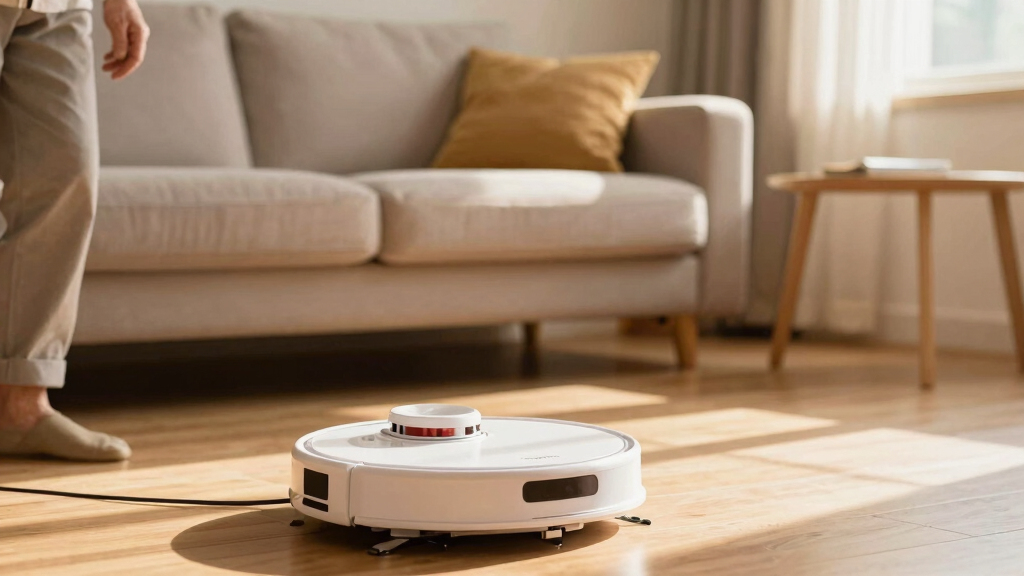
Maps rooms, detects obstacles and handles daily dust across hard floors and low-pile carpets. Scheduled runs reach beneath furniture while you work, rest or tend the garden.
Connected cooking
Smart ovens, coffee makers and slow cookers preheat, brew or begin cooking on cue. Precise settings and completion alerts remove waiting and second-guessing.
Smart washer
App controls, cycle notifications and optimized programs make laundry easier to track. Some models adjust water and energy use according to the load.
Pick. Connect. Customize.
Most smart helpers become useful through one short sequence. Give the device a clear job, connect it securely and shape its routine around the household.
Pick
Identify the most repetitive chore, check the room layout and select a device designed for that exact task.
Connect
Secure the Wi-Fi, install the maker’s app and complete pairing with updates enabled from the beginning.
Customize
Choose rooms, schedules and notifications. Start conservatively, then adjust after watching several real runs.
Which helper fits your home?
Compare the everyday payoff with the practical limitation. The strongest choice is the one that removes a recurring burden without creating a larger maintenance chore.
| Device | Primary function | Everyday advantage | Limitation | Ideal setting |
|---|---|---|---|---|
| Robotic vacuum | Routine floor cleaning | ✓Hands-free, quiet and easy to schedule | ~Can struggle with clutter and thick rugs | Open pathways and regular light debris |
| Smart dishwasher | Dishwashing and cycle tracking | ✓Remote starts and completion alerts | ~Limited to one specific kitchen chore | Households with changing schedules |
| Connected oven | Cooking and preheating | ✓Precise control and less waiting | ✗Higher cost and a learning curve | Frequent cooks seeking timing control |
| Smart washer | Laundry automation | ✓Alerts, app control and optimized cycles | ~Compatibility and maintenance matter | Busy homes with frequent loads |
Where automation shines
A practical, qualitative view based on the capabilities described across current smart-helper categories.
Illustrative capability scale—not product test scores. Performance varies by model, room and setup.
Four checks prevent frustration
Convenience is real, but only when security, space and maintenance are part of the buying decision.
Secure the connection
Use a strong Wi-Fi password, install updates promptly and choose reputable makers with clear security support.
Prepare the pathway
Remove loose cables, fragile items and small obstacles. Robotic helpers perform best with tidy, open routes.
Plan the upkeep
Allow for filters, brushes, batteries and software updates. Automation still needs occasional hands-on care.
Check compatibility
Confirm Wi-Fi requirements, app support and fit with Alexa, Google Home, Apple Home or existing routines.
Measure the real cost
Compare the purchase price with time saved, physical effort reduced and likely replacement parts.
Respect the limits
Thick rugs, intricate furniture and delicate spaces may need supervision or remain manual-cleaning zones.
How a small helper creates breathing room
The value is not the gadget itself. It is the chain of small improvements that turns automation into a calmer household rhythm.
What households ask first
Are they worthwhile for older adults?
Often, yes. Routine automation can reduce bending, lifting and repeated effort while supporting independence. Prioritize simple controls, reliable support and clear pathways.
Can they handle cluttered rooms?
Performance improves in tidy, open spaces. Clear cables and fragile objects first, then check whether the model offers mapping, no-go zones and strong obstacle detection.
How should privacy be protected?
Use unique passwords, update device software, review app permissions and buy from brands that explain how household data is stored and used.
Will they replace traditional chores?
No. They reduce repetitive upkeep, but deep cleaning, delicate handling and occasional manual intervention remain part of a well-kept home.
Choose one helper for one recurring chore, secure it properly and build a simple routine. The reward is not a fully automatic home—it is a lighter, calmer day.
Why a robotic vacuum might be your new best friend
Robotic vacuums are a game-changer for keeping floors spotless without lifting a finger. They glide across hardwoods and carpets, navigating around furniture with smart sensors that detect dirt and obstacles. Imagine the rich, dark aroma of a freshly vacuumed rug—without you lifting a broom.
Take a typical morning: you set your robot to run while you enjoy breakfast or tend the garden. It cleans under the dining table and around the couch, reaching spots you’d probably forget. Many models now connect to your phone, letting you schedule or start cleaning from anywhere. They’re reliable, quiet, and surprisingly thorough—saving you hours of manual work.
Why does this matter? For older adults or busy households, reducing physical exertion not only preserves energy but also minimizes the risk of strain or injury. The tradeoff is that robotic vacuums may struggle with clutter or thick rugs, which means keeping some areas tidy is still necessary. However, the convenience of automation means chores become less burdensome, allowing more time for relaxation or hobbies.
Products Worth Considering

Orbit B-hyve XR Smart Indoor/Outdoor Sprinkler Controller, 16 Zones
Orbit B-hyve XR 8-Zone Indoor/Outdoor Smart Sprinkler Controller

Greenworks 40V Cordless Leaf Blower/Vacuum with 5.0 Ah Battery and Charger
As an affiliate, we earn on qualifying purchases.
Simple smart kitchen gadgets that cut your cooking time
Smart kitchen devices are like your personal sous-chefs, making meal prep less of a chore. Think of a smart coffee maker that brews your favorite blend at the tap of a button or a connected oven that preheats on command. These gadgets provide convenience, so you can enjoy more relaxing mornings or evenings.
But why does this matter? In a busy or country setting, time is precious, and these devices help you reclaim it. For instance, a smart slow cooker can be programmed via an app to start cooking hours before dinner, ensuring a hot meal upon your return. Similarly, a connected dishwasher that alerts you when the cycle finishes prevents unnecessary waiting or second-guessing. The tradeoff is that these gadgets often require initial setup and can be more expensive, but the payoff is a significant reduction in routine kitchen chores. They allow you to focus on what truly matters—enjoying your home and loved ones—rather than getting bogged down in repetitive tasks.
Comparing smart helpers: Which one suits your home best?
| Device | Primary Function | Advantages | Limitations |
|---|---|---|---|
| Robotic Vacuum | Floor cleaning | Hands-free, quiet, schedules easily | Struggles with clutter, thick rugs |
| Smart Dishwasher | Dishwashing | Starts remotely, alerts when done | Limited to cleaning dishes |
| Connected Oven | Cooking, preheating | Remote control, precise settings | Higher cost, learning curve |
Choosing the right helper depends on your home’s needs and your lifestyle. For quick daily upkeep, a robotic vacuum is perfect because it reduces physical effort and time spent on sweeping. If you love cooking but want to spend less time in the kitchen, a smart oven or connected appliances can automate some tasks, freeing you for other activities. Consider what chores feel most burdensome or time-consuming—matching gadgets to these tasks can make a noticeable difference. Keep in mind that while these devices offer convenience, they often come with tradeoffs such as cost, maintenance, or compatibility issues, so choosing the right fit requires a bit of thought about your routines and space.
How to set up your smart helpers in 3 easy steps
- Pick the device that matches your needs—whether it’s cleaning, cooking, or laundry.
- Connect it to your Wi-Fi and download the accompanying app.
- Follow the simple setup instructions—schedule routines, customize settings, and enjoy the convenience.
It’s surprisingly straightforward. For example, I set my robotic vacuum to run every morning at 9, and it’s like having a little helper quietly tidying up while I enjoy my coffee. Most devices walk you through the process, and once set up, they can be programmed to fit your daily rhythm. This ease of setup means you don’t have to be tech-savvy—just a little patience and curiosity are enough to start enjoying the benefits of automation.
What to watch out for before bringing a smart helper home
Smart helpers are handy, but they come with a few things to consider. Privacy is one—these devices connect to your home network, so securing your Wi-Fi with strong passwords and regular updates is essential to prevent unauthorized access. Maintenance can also be a factor; batteries may need replacing, and software updates might be necessary to keep devices functioning optimally. Additionally, they work best in uncluttered spaces; if your home has lots of delicate or intricate furniture, check whether the device can handle these environments without damage or getting stuck. The tradeoff here is that while these tools can significantly reduce manual effort, they don’t replace the need for regular, thorough cleaning or careful handling—so understanding their limitations helps you get the most out of your investment and avoid frustration.