TL;DR
Choosing an easy-to-use thermostat starts with checking system compatibility, then comparing display clarity, scheduling, and how well the wall controls work without Wi-Fi. A programmable or smart model can help manage heating and cooling around your routine, but comfort and energy results depend on your home, equipment, climate, and settings.
A thermostat with a dozen clever features can still be a nuisance if you need a phone, password, and three menus just to warm the kitchen before breakfast. For everyday comfort, clear controls and a good fit for your heating system matter more than a long list of extras.

Turn quiet afternoons into listening time
- Thousands of audiobooks, podcasts and originals
- Listen on your phone, tablet or Echo — also offline
- Cancel anytime
This guide will help you compare programmable and smart thermostats, check compatibility before buying, and decide which features would actually make your routine easier. You’ll also find practical questions to ask about wiring, Wi-Fi, room sensors, privacy, and installation, so your choice fits the home you live in.
Think of a thermostat as the little switchboard for your home’s comfort. A readable display, a simple temperature change, and a schedule that matches your day can make it easier to enjoy a warm living room after a walk or a cooler bedroom at night—without fussing over the controls.
Check the thermostat’s compatibility with your heating and cooling equipment before comparing extra features.
Choose a display and controls that every regular user can read and operate from the wall.
Set a simple schedule around waking, leaving, returning, and sleeping, with an easy temporary hold.
Confirm what remains available without Wi-Fi and whether the model needs a C-wire, adapter, subscription, or account.
Use room sensors when rooms differ in temperature and you understand how the thermostat uses their readings.
Choosing an Easy-to-Use Thermostat for Comfort
Choose a thermostat that fits your heating and cooling system, your daily routine, and the people who use it. Clear wall controls can matter more than a long list of smart features.
Start with the right fit
Check compatibility before comparing conveniences; wiring and system type can affect installation and operation.
Match your equipment
Confirm support for your system, such as a heat pump, boiler, or electric baseboards. Check whether it needs a C-wire or adapter.
Make basics easy
Look for a readable display and a direct way to change temperature and switch modes from the wall.
Fit your daily routine
Set temperatures around waking, leaving, returning, and sleeping. A simple temporary hold helps when plans change.
Choose the control style
Programmable and smart models can both support comfort; the easier choice depends on how much setup and attention you want.
- Follows a schedule you set.
- Fewer menus may suit people who prefer simple controls.
- May add remote control, automation, or learning features.
- Check app, account, subscription, and privacy requirements.
Check everyday operation
Basic heating and cooling should remain usable even when internet service is unavailable.
Make sure regular users can change temperature and return to the schedule without an app.
Start with the routine changes that matter and use a temporary hold for exceptions.
Room sensors may help when temperatures vary, but check how the thermostat uses their readings.
Set realistic expectations
A thermostat can guide system operation, but it cannot guarantee uniform comfort or lower bills.
| Factor | What to know |
|---|---|
| Temperature setbacks | May reduce heating or cooling use when the home is empty or occupants are asleep. |
| Energy results | Depend on the building, equipment, climate, settings, and household habits. |
| Room comfort | The displayed temperature may differ from conditions in rooms with uneven airflow or insulation. |
Start With Controls You Can Read and Use
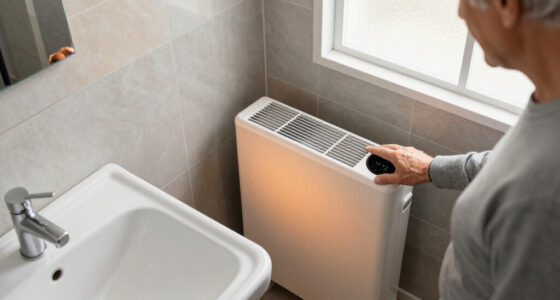
An easy-to-use thermostat has a readable display, controls you can understand at a glance, and a direct way to change the temperature. These details matter because a control you can operate confidently is more likely to be used as intended; confusing menus can lead to missed schedule changes or settings that stay in place long after they’re needed. When you’re standing in a chilly hallway in your slippers, you should be able to find the heat setting without opening an app or guessing which tiny icon means “hold.”
Look for large, well-spaced text and a clear indication of whether the system is heating, cooling, or off. A touchscreen can feel familiar if you already use one comfortably, while physical buttons may be simpler for someone who prefers a firm press and a visible response. Touchscreens can offer flexible menus, but their controls may take more steps to reach; buttons are direct, though a crowded button layout can be just as confusing. The right choice depends on who will use it day to day, including visitors or family members who may need to make a quick adjustment.
For example, imagine your granddaughter is staying over and the bedroom feels cool. A wall control labeled with a clear temperature and up-and-down arrows lets her make a small change without borrowing your phone or signing into an account. The display should also be easy to see from a comfortable standing position, especially if the hallway light is soft in the evening. If the screen is hard to read or the response to a button press is unclear, people may make several adjustments and overshoot the temperature they wanted.
When choosing an easy thermostat, test the basic tasks in your mind: Can you change the temperature, switch between heat and cool, and return to the usual schedule without searching through layers of menus? If an app is part of the package, treat it as a convenience, not the only route to basic comfort. Make it simple for everyone in the house to use the controls they’ll actually reach for.
Products Worth Considering

Husqvarna ST224 Two-Stage Gas Snow Blower, 24-Inch, 212 cc

EAGLE PEAK 8 x 6 ft Pop-Up Walk-In Greenhouse, Clear and Green

EGO POWER+ 16-Inch POWERLOAD String Trimmer with Telescopic Carbon Fiber Shaft (Battery and Charger Not Included)
As an affiliate, we earn on qualifying purchases.
Match the Thermostat to Your Heating and Cooling System
Thermostat compatibility comes first: a model must support the specific equipment it will control, or its extra features will not help. Homes may use a furnace and central air, a heat pump, electric baseboards, a boiler, or multi-stage equipment, and thermostats don’t all work with every system. A mismatch can mean the thermostat cannot control a heating stage, backup heat, or cooling equipment correctly, which affects operation as well as comfort.
Before shopping, check the name or type of your heating and cooling equipment and look at the wiring behind the existing thermostat only if you can do so safely and confidently. The manufacturer’s compatibility guide can help you compare the exact model with your system. Some installations require a C-wire for continuous power; other models have a different power design or offer an adapter. Don’t assume that a thermostat that worked in a friend’s home will suit yours: similar-looking wall controls can connect to very different equipment and wiring.
Consider a cottage with a heat pump and a separate backup heat source. A thermostat that doesn’t support that arrangement may control the system poorly, even if its display looks straightforward. The consequence can be that backup heat is not handled as expected or that the system runs in a way the household did not intend. Likewise, high-voltage electric baseboard systems need particular attention: many standard thermostats are intended for low-voltage systems, so the label and installation guidance matter.
Wiring can turn an easy replacement into a job that needs help. If the system type or wire labels aren’t clear, ask a qualified heating and cooling professional to check the setup before you buy. A compatible thermostat is the foundation for comfort; the schedule, app, and sensors come after it.
Choose a Schedule That Fits the Shape of Your Day
A useful schedule changes the temperature around your real routine, such as waking, leaving home, returning, and going to bed. A programmable thermostat follows settings you enter, while a smart thermostat may add remote control, automation, or learning features; neither type is automatically easier for everyone. The practical difference is how much setup and ongoing attention you’re willing to give: a fixed program is predictable, while automation can adapt but may need review when your plans or preferences change.
Start with a small schedule rather than trying to plan every hour. For instance, if you rise at 7 a.m., head to the garden after breakfast, and settle into the living room by late afternoon, those are the moments that matter. A simple program might keep the house comfortable when you’re up, adjust modestly while it’s empty, and return to your preferred setting before you come back inside. Fewer changes are easier to understand and maintain; a detailed schedule can be more precise, but becomes harder to troubleshoot if the home feels uncomfortable.
A temporary hold or override matters just as much as the schedule. Your neighbor may stop by for tea on a day you usually go out, or you may decide to read in the den later than expected. A clear “hold” option lets you adjust the temperature for now without accidentally replacing the whole week’s routine. Check whether the hold lasts for a set time or until you cancel it, since that determines whether the thermostat returns to its program automatically or keeps the exception in place.
Temperature setbacks can reduce heating or cooling use when the home is empty or occupants are asleep. The effect depends on the building, equipment, climate, and household habits, so no thermostat can promise a particular saving. A setting that saves energy but makes the home uncomfortable may prompt frequent overrides, which can erase the convenience of a schedule. If a schedule leaves you uncomfortable or prompts constant manual changes, simplify it. A schedule should serve your routine, not turn the hallway wall into a daily puzzle.
- Write down your usual wake, away, return, and bedtime hours.
- Set only the changes that match those hours and feel comfortable.
- Try a temporary hold on an unusual day, then check whether the regular program resumes as expected.
Compare Basic and Smart Models by What You’ll Actually Use
A basic programmable thermostat may suit you best if you want a set schedule and straightforward wall controls. A smart model may make sense if remote access or automatic adjustments solve a real problem, such as changing the temperature while you’re away for the weekend. The key is to weigh each feature against the extra setup it brings: an app can save a trip to the wall control, but account setup, notifications, or troubleshooting can add steps to an otherwise simple task.
Picture two households. In the first, a couple has a steady weekday routine and likes setting the wall control once; a clear programmable model may be all they need. In the second, the occupants have changing plans and appreciate checking settings from a phone before driving home. Remote access could help, provided the household is comfortable with an app and account. If the internet or phone is unavailable, the value of that convenience depends on whether the wall control still handles everyday adjustments.
Newer smart models may offer voice-assistant links, occupancy sensing, room sensors, local weather information, or utility-program connections. Availability varies by model, system, region, and setup. Each feature can reduce a particular task, but it can also introduce dependencies: a sensor needs placement, voice control needs a compatible assistant, and a utility program may affect when the system adjusts. Check whether a feature needs a subscription, a separate hub, an account, or ongoing software support. Also review privacy settings and what data the device collects or shares.
| Choice | May suit you if… | Check before buying |
|---|---|---|
| Programmable | You want a schedule and direct wall control. | How easy the schedule and temporary hold are to set. |
| Smart | You value app access or automation. | Wi-Fi behavior, subscriptions, privacy, and software support. |
| Either type | You want dependable everyday comfort. | System compatibility, readable controls, and offline operation. |
Smart features do not guarantee lower bills. Poor settings, a mismatched system, or frequent overrides can limit their value. Choose the model that makes the ordinary moments easier—like adjusting the living room before a quiet evening with a book.
Check How It Works When Wi-Fi Goes Away
A thermostat should still let you manage basic heating and cooling from the wall if your internet connection drops. A smart thermostat may lose remote access and some connected features offline, but its core controls often remain available; check the exact model’s behavior before buying. This distinction matters because an internet outage can remove convenience without necessarily removing local control, but the details vary by product.
That detail matters on an ordinary winter evening, not just during a technical emergency. Imagine the Wi-Fi going down while you’re making soup and setting the table. If the wall display still lets you raise the temperature, you can stay comfortable without finding a phone signal, resetting a router, or waiting for an app to reconnect.
Ask whether the device follows its saved schedule without internet, whether you can adjust it locally, and what happens after a power interruption. Answers vary across products. A model may keep its schedule in memory, but lose access to weather services or remote commands. Knowing which functions depend on internet helps you judge whether a connected feature is worth relying on, and whether a household member can still operate the system if the app is unavailable.
Also think about who will explain the controls to the household. A simple label or a short note beside the thermostat—“press the arrows, then tap hold”—may be more useful than a page of app instructions. Reliable wall controls give everyone a familiar way to adjust the room, even if phones or internet service aren’t part of the moment.
Use Room Sensors Only When They Solve a Room-by-Room Problem
Room sensors can help when different parts of your home feel noticeably different, or when comfort in one particular room matters most. They don’t make every room the same temperature by magic; how much they help depends on how the thermostat uses their readings and on the home’s airflow and insulation. A sensor changes which room information the system responds to, but it cannot correct the underlying cause of uneven temperatures, such as restricted airflow.
For example, a sunny upstairs bedroom may feel warm by late afternoon while the shaded downstairs sitting room stays cool. A sensor might let the system pay more attention to the bedroom at bedtime, if the thermostat supports that kind of schedule. Another model may average several sensor readings instead. Read the product explanation carefully so you know whether it prioritizes selected rooms, averages them, or uses sensors in another way. Prioritizing one room can improve comfort there while making the system less responsive to other rooms, so consider which spaces matter at different times of day.
A thermostat’s display usually reports the temperature where the thermostat sits. That can differ from what you feel at the far end of the house, particularly when airflow or insulation varies. A quick check with a separate room thermometer can help you compare conditions before you decide a sensor is needed. Keep it away from direct sun, a drafty door, or a heat source for a fair reading. If readings differ consistently, that gives you a clearer reason to consider a sensor or investigate airflow and insulation first.
Humidity displays, fan controls, and filter reminders may also be useful, depending on your home. But added features bring more choices to manage. If your rooms already feel even, an extra sensor may add little; if you often carry a blanket from the sunny side of the house to a cold corner, targeted sensing may be worth exploring.
Set a Comfortable Temperature Without Chasing a Perfect Number
There is no single temperature setting that feels right for everyone or every home. Your comfortable setting depends on the occupants, the room, the season, and how the home holds heat or cool air, so use the thermostat’s number as a starting point rather than a promise that every room will feel identical. The number describes conditions at the thermostat’s location; it cannot account for every draft, sunny window, or difference in how people experience warmth.
Think of a winter morning when the kitchen warms quickly from cooking while the back room remains cool. The thermostat may reach its target near the hallway, yet the chair by the window still feels chilly. Adjusting the thermostat can help the system run differently, but drafts, room location, or uneven airflow may be part of the reason for the difference. Raising the target may make other rooms too warm before that corner feels comfortable, so look at the room conditions as well as the setting.
Try one modest change at a time and give the system time to respond. If you keep raising and lowering the setting every few minutes, it becomes harder to tell what made the room more comfortable. A household might agree to a daytime setting that suits the person home most often, with a simple temporary adjustment when a guest feels differently. A small, deliberate change helps you learn whether the setting or something about the room is driving discomfort.
Scheduled setbacks are optional. They may reduce unnecessary heating or cooling when you’re away or asleep, but comfort and energy results vary. If a programmed change leaves you cold when you get up, adjust the schedule or remove that setback. Comfort is personal, and a useful thermostat should make it easier to settle into a setting that works for the people who live there.
Plan Installation Around Wiring, Not Guesswork
Installation difficulty depends on the thermostat, wiring, and heating system, so a replacement that looks simple can still need professional help. Some low-voltage swaps may be manageable for a homeowner who understands the instructions, while unfamiliar wires, heat pumps, and other specialized systems deserve extra care. The tradeoff is between a simpler, lower-cost replacement and the confidence that the controls are connected correctly; an installation mistake can keep equipment from operating as intended.
Before you choose a model, read its installation requirements and compare them with the existing thermostat’s wire labels. A C-wire or adapter may be needed for power, and compatibility with the equipment still has to be confirmed. If the wiring colors or labels don’t make sense, don’t guess based on color alone; the right connection depends on the system and the model. Confirming these details beforehand can prevent buying a thermostat that needs extra wiring or an installer after the fact.
For example, a homeowner replacing an older wall thermostat may find several wires and a system label that isn’t clear. Taking a photograph of the existing connections can help a qualified installer understand the setup, but it doesn’t replace checking compatibility or following the manufacturer’s instructions. A professional can identify the equipment and complete the installation when the wiring is uncertain.
Plan the installation before the coldest week arrives. That gives you time to get help, set a schedule, and learn the controls while the weather is mild. A comfortable thermostat is useful only once it’s installed correctly, so include installation needs in the buying decision rather than discovering them with a box open on the hallway table.
Frequently Asked Questions
What should I look for in an easy-to-use thermostat?
Look for a readable display, straightforward wall controls, a simple schedule, and compatibility with your heating and cooling system. Add smart features only when they make a regular task easier for your household.
Is a smart thermostat easier than a programmable thermostat?
It can be easier if you value remote access or automation, but it may also add apps, accounts, and menus. A programmable model may suit you better if you want a clear schedule and simple controls at the wall.
Will a smart thermostat work with my heating system?
Not every thermostat supports every system. Check the manufacturer’s compatibility information for your exact equipment, especially if you have a heat pump, multi-stage system, electric baseboards, or a boiler.
Do I need a C-wire?
Some thermostats need a C-wire for continuous power, while others use a different power design or an adapter. Confirm the requirements for the exact thermostat and system before buying.
Can I use a smart thermostat without Wi-Fi?
Many retain basic control at the wall, but remote access and some connected features may stop working. Check whether the model can keep its schedule and accept local temperature changes while offline.
Can a thermostat help lower my energy bills?
A schedule or temperature setback may reduce unnecessary heating or cooling when the home is empty or people are asleep. Results depend on your equipment, home, climate, and habits, so a thermostat cannot guarantee a particular saving.
Are room sensors worth buying?
They may help if rooms differ noticeably in temperature or you want the system to pay attention to a particular room at certain times. Check whether the thermostat averages sensor readings or prioritizes selected rooms.
Should I install a thermostat myself?
Some straightforward low-voltage replacements may suit a homeowner who understands the instructions, but wiring and system type matter. If the connections or compatibility are unclear, have a qualified professional handle the installation.
What temperature should I set?
There is no single setting that suits every person and home. Choose a temperature that feels comfortable to the occupants, then make small schedule changes only if they remain practical.
What privacy or subscription details should I check?
For a connected thermostat, review what data it collects, whether important features require an account or subscription, and how long the manufacturer expects to provide software support. These details can affect how convenient the device is over time.
Conclusion
Choose the thermostat that fits your system, gives you clear wall controls, and follows a routine you can adjust without fuss. A phone app, sensor, or learning feature earns its place when it solves a need you actually have.
Start by checking compatibility, then imagine using the controls on a chilly morning with the kettle humming. If the right setting is easy to find, your home can feel ready for the day before the first cup of tea cools.